Short-form video dominates digital marketing in 2026, with platforms like TikTok, Instagram Reels, and YouTube Shorts leading the charge. Success depends on creating engaging, fast-paced content that grabs attention in the first 1.5 seconds. Automation is key, as brands need to post 5–7 videos weekly to stay visible. Monitoring your brand's reach with tools like Mention can help track how these videos perform across the web.
AI-powered tools simplify video production by handling tasks like clipping, resizing, captioning, and adding effects, reducing editing time by 70–80%. Here's a quick look at the top tools for scaling your short-form content production:
- Minvo: AI highlights, smart captions, and cross-platform publishing.
- Submagic: Text-based editing, animated captions, and noise removal.
- Opus.pro: Viral score predictions, AI-driven clips, and 20+ platform compatibility.
- Klap: AI reframing, multilingual captions, and emotional peak detection.
- OpusClip: Viral-ready clips, branded templates, and scheduling tools.
These tools help save time, improve efficiency, and boost ROI, making them essential for staying competitive in the fast-paced world of short-form content.
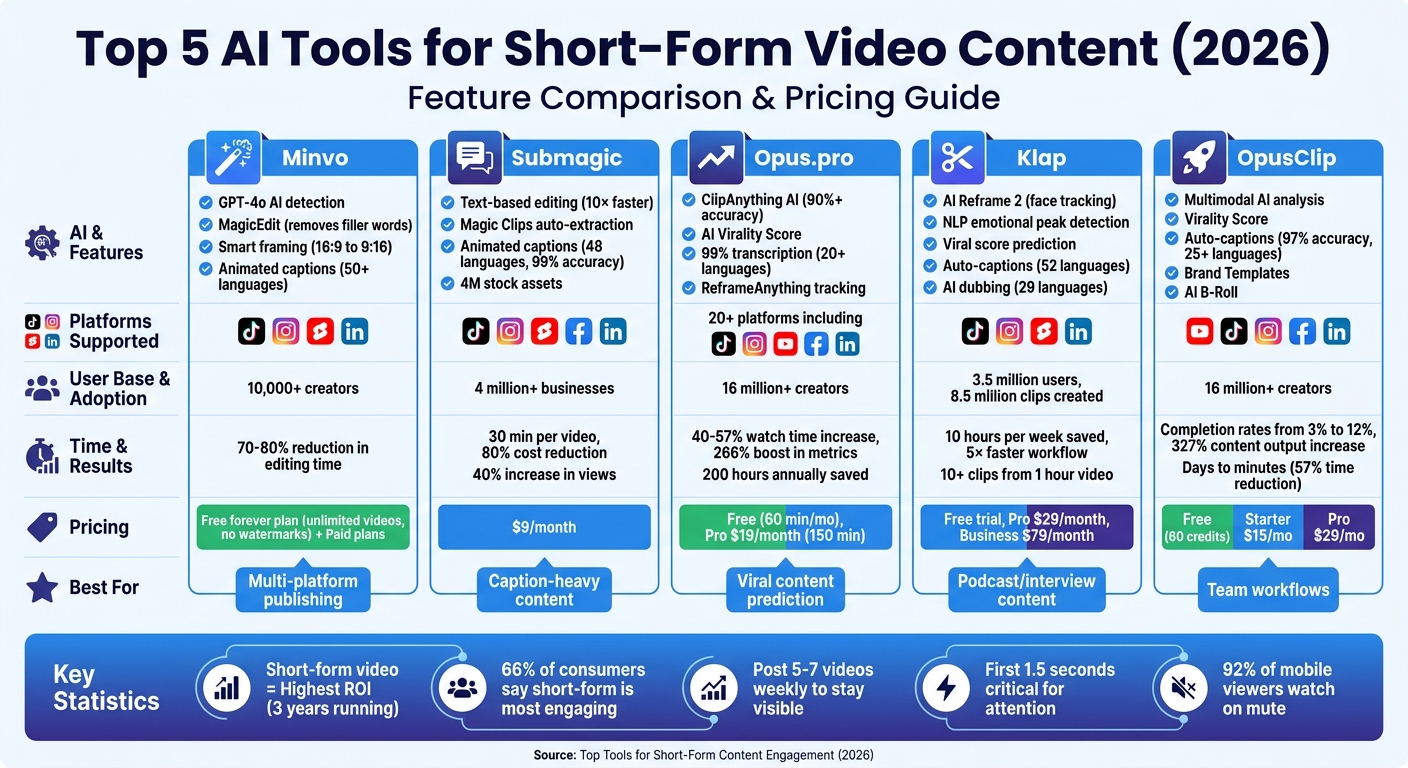
Comparison of Top 5 AI Video Editing Tools for Short-Form Content 2026
3 Tools for Easy Editing (Short-Form Content)
sbb-itb-a84ebc4
1. Minvo
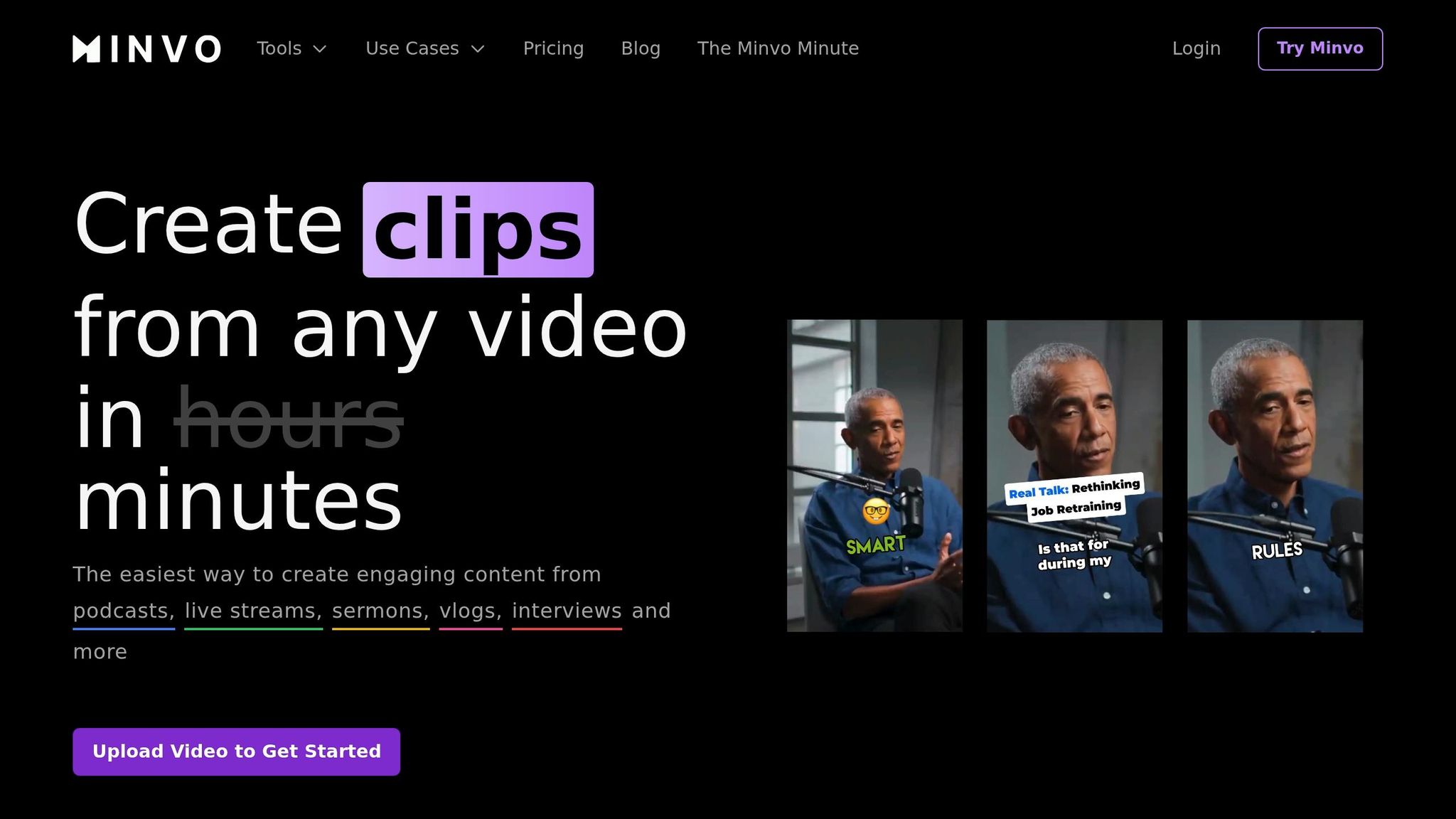
Minvo simplifies the editing process by using GPT-4o AI to handle time-consuming tasks. Instead of manually sifting through hours of content, its MagicMoment AI Detection scans podcasts, interviews, and webinars to pinpoint the most engaging highlights. This automation lays the groundwork for its advanced AI-powered tools.
AI-Powered Content Editing
The MagicEdit feature removes filler words like "um" and "ah" and shortens unnecessary pauses with a single click, creating a smoother, faster-paced video. It also enhances content by adding emojis and B-roll footage to highlight key moments. When converting horizontal videos into vertical formats for TikTok, Instagram Reels, or YouTube Shorts, the tool uses smart framing to keep the action centered in the 9:16 aspect ratio.
Smart Captions and Effects
Minvo takes editing a step further by automating captions. It generates and syncs subtitles automatically, offering hundreds of animated styles, including meme-inspired text, to grab attention during sound-off viewing. These captions can be fully customized with branded fonts and colors, making them ideal for audiences who prefer watching without sound. Plus, Minvo supports subtitle translation in over 50 languages, making content accessible to a worldwide audience.
Seamless Cross-Platform Publishing
Minvo’s scheduling dashboard allows users to post directly to platforms like YouTube Shorts, TikTok, Instagram Reels, and LinkedIn. It supports managing multiple brands and social accounts while providing analytics to track performance across platforms. This integration makes it easier to meet the fast-paced demands of short-form content creation. With over 10,000 creators and businesses already using Minvo, the platform offers a free forever plan with unlimited short video creation and no watermarks, along with paid options for more advanced features.
2. Submagic
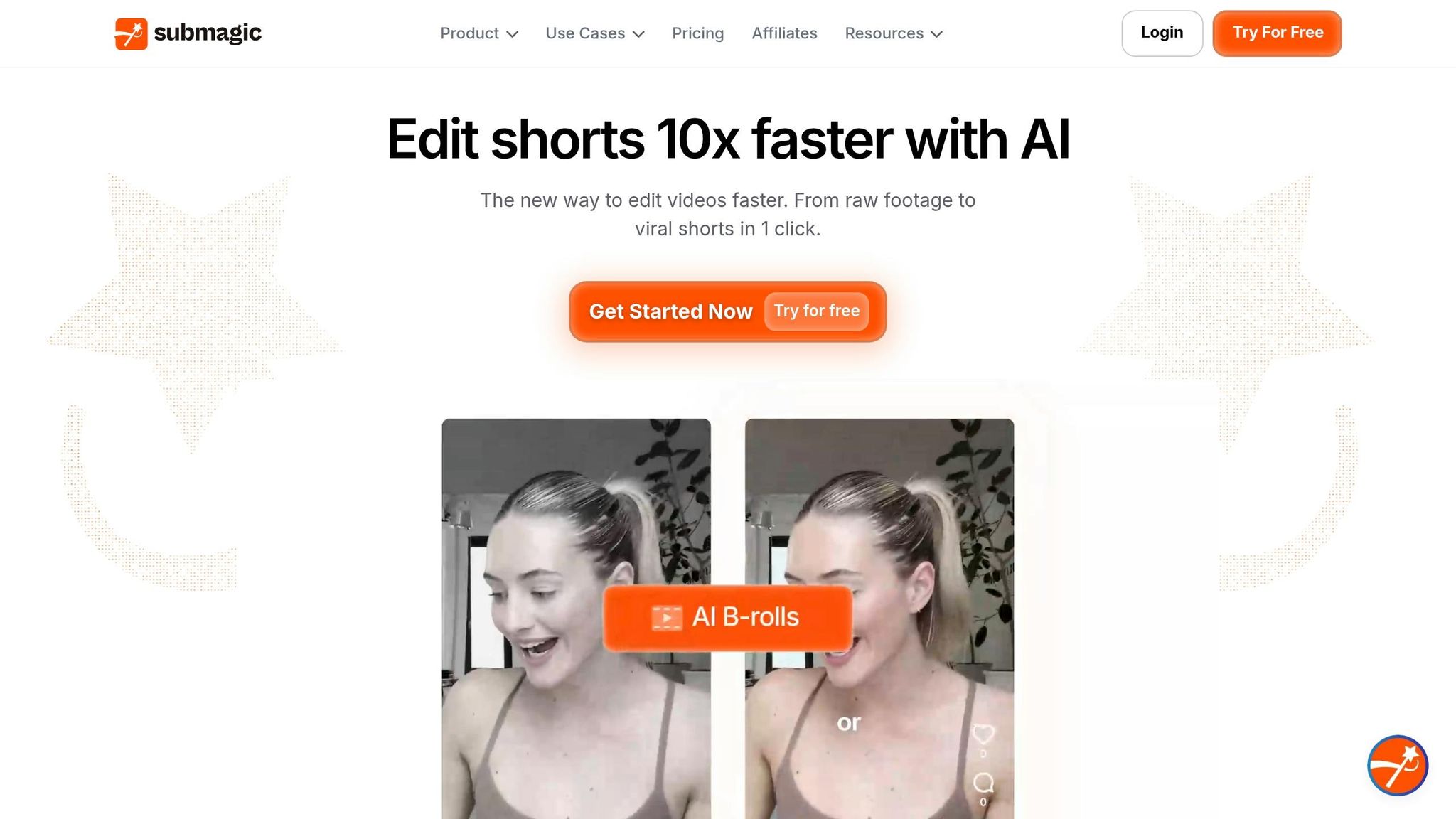
Submagic transforms video editing by replacing traditional timeline scrubbing with a transcript-based interface. By simply deleting text from the transcript, creators can trim videos with ease, making the process up to 10× faster and saving around 30 minutes per video. This tool is designed to meet the demands of today’s fast-paced short-form content world, offering features that simplify everything from clip extraction to multi-platform optimization.
AI-Driven Content Optimization
Submagic’s Magic Clips feature takes the hassle out of finding highlights in long-form videos like podcasts and webinars. It automatically identifies and extracts the most engaging moments, creating shareable shorts without the need for manual effort. On top of that, Submagic generates optimized titles, descriptions, and hashtags to boost discoverability across platforms. To enhance the final product, the tool leverages AI to correct eye contact and remove background noise, ensuring both audio and visuals are polished and professional.
Automated Captioning and Effects
Submagic doesn’t just optimize your content - it also makes it more accessible and visually engaging. It offers animated captions in 48 languages with an impressive 99% accuracy rate. The platform also adds flair to videos by integrating B-roll footage, GIFs, and images from a vast library of 4 million stock assets. Features like Auto-Zoom create smooth transitions that emphasize key moments, while AI-powered noise removal ensures clear audio.
Sportskeeda, a media company, leveraged these automation tools to scale their production to over 2,500 videos per month, resulting in a 40% increase in reach.
"Submagic saves a lot of time to me and my team, it's impossible to have a bad outcome of a video." - Frederik, Head of Marketing, Sportskeeda
Cross-Platform Compatibility
Submagic simplifies sharing by supporting multiple platforms, including TikTok, Instagram Reels, YouTube Shorts, Facebook Reels, and LinkedIn - all from one interface. It exports content in up to 4K resolution at 60fps, ensuring professional quality across every channel. Users report an 80% reduction in editing costs and a 40% increase in views after adopting the tool.
With over 4 million businesses and creators relying on Submagic, the platform offers a free trial alongside paid plans that provide unlimited exports and API access for high-volume production. Whether you’re a solo creator or part of a larger team, Submagic’s features are designed to keep your content competitive and engaging.
3. Opus.pro
Opus.pro, also known as OpusClip, uses its ClipAnything model to identify the most engaging moments in any video. Whether it’s a vlog, gaming session, or sports footage, this AI-powered tool analyzes visual, audio, and sentiment cues to extract highlights. Impressively, it boasts a 90%+ accuracy rate in spotting content likely to go viral. With over 16 million creators and businesses relying on it, Opus.pro has become a trusted solution for producing short-form content that grabs attention.
AI-Driven Content Optimization
One standout feature is the AI Virality Score, which predicts a clip's viral potential based on trending social media patterns. This allows creators to focus on content that’s likely to perform well. For instance, GitHub gained 30,000 YouTube followers in just three months, and SaaStr doubled its subscriber base by posting daily shorts created with Opus.pro. Tools like this make scaling content production faster and more effective, much like how you can create a sales funnel to automate lead generation.
"The only AI tool that I've found helpful so far is OpusClip. It can do something that I don't have time to do. I'm a super fan." – Jason Lemkin, Founder of SaaStr
Automated Captioning and Effects
Opus.pro also excels in transcription and video effects. It achieves 99% transcription accuracy across more than 20 languages and syncs animated captions with speech and emotional cues for added impact. The ReframeAnything feature uses AI object tracking to keep subjects centered while resizing videos to fit different platform formats - whether it’s TikTok’s 9:16, Instagram’s 1:1, or LinkedIn’s 16:9. Additionally, the AI B-roll feature enhances videos by inserting relevant footage, while a one-click audio cleaning tool removes filler words and pauses, creating a polished final product.
Cross-Platform Compatibility
Opus.pro simplifies content distribution by supporting direct scheduling and publishing to 20+ platforms, including TikTok, Instagram Reels, YouTube Shorts, Facebook Reels, and LinkedIn - all from one dashboard. Its built-in brand kits ensure your fonts, colors, and logos stay consistent across platforms, making it easy to maintain professional branding. With just one long video, users can generate 10+ optimized clips for an entire week’s worth of posts. Pricing starts with a free plan offering 60 minutes of monthly processing, while the Pro plan, at $19/month, includes 150 minutes, team workspaces, and scheduling tools.
Engagement Analytics
Opus.pro users have reported a 40–57% increase in watch time and a 266% boost in in-feed metrics on YouTube. For example, a social media marketer at Grant Cardone Enterprises doubled their team’s daily video output by repurposing older content into viral-ready shorts. By cutting editing time from days to minutes, the platform saves creators up to 200 hours annually.
4. Klap
Klap has attracted an impressive 3.5 million users, who have created 8.5 million clips through its AI-powered platform. This tool is designed to transform long-form videos - like podcasts, webinars, and interviews - into polished short-form clips tailored for major social platforms. By using natural language processing (NLP), Klap scans transcripts to identify emotional peaks and key moments, ensuring every clip grabs attention with a strong opening.
AI-Driven Content Optimization
At the heart of Klap's functionality is its AI Reframe 2 engine, which uses face tracking and scene analysis to convert horizontal (16:9) videos into vertical (9:16) formats while keeping the subject perfectly centered. The platform also applies layouts automatically, such as split-screen for interviews, custom frames for gaming, or screencast-friendly views. Each clip is assigned a viral score, which predicts its potential for engagement, helping creators decide which clips to prioritize for posting.
"Amazing experience for all content creators to 5x their work speed." – Foaad K., Content Creator
Beyond reframing, Klap enhances viewer retention with dynamic, eye-catching captions.
Automated Captioning and Effects
Since 92% of mobile viewers watch social media videos on mute, Klap's automated captioning is a game-changer. It generates animated subtitles in 52 languages, saving creators up to 10 hours per week on editing. Additionally, its AI-powered dubbing translates videos into more than 29 languages, making it easier to reach global audiences.
Cross-Platform Compatibility
Klap also simplifies content distribution. Users can schedule and publish directly to TikTok, Instagram Reels, YouTube Shorts, and LinkedIn from a single dashboard. For example, uploading a one-hour podcast can automatically generate 10+ ready-to-post clips, providing a week's worth of content in a single session. Pricing options include a free trial for one video, Klap Pro at $29/month for unlimited processing, and a Business plan at $79/month, which offers 4K export capabilities.
Engagement Analytics
Klap users report workflow speeds up to 5x faster compared to manual editing. Alan D., a satisfied user, shared, "I can confidently say that your product is the best on the market... in terms of quality, editing, overall service, and approach." The platform is particularly effective for dialogue-heavy content, such as podcasts, interviews, educational videos, and product reviews. Its NLP capabilities pinpoint the most engaging moments, while automation handles tasks like timeline scrubbing, reframing, and captioning. This allows creators to focus on strategy and fine-tune their content for maximum engagement.
5. OpusClip
OpusClip builds on earlier tools with a refined approach and a focus on measurable outcomes. Trusted by 16 million creators and businesses, its multimodal AI pinpoints key visual, audio, and sentiment cues across a wide range of video types - whether it's vlogs, gaming streams, sports highlights, or interviews. Its standout feature, the Virality Score, uses big data to predict how well a clip might perform based on current social and marketing trends.
AI-Driven Content Optimization
In September 2024, Sophie Martinez, Head of Marketing at Pulse, used OpusClip to streamline the editing of 60-minute podcast episodes into 12 clips each week. The result? A massive time savings - editing time dropped from 16 hours to just 6.75 hours, cutting the workload by 57%. Over six months, Pulse experienced a surge in content output (up 327%), weekly impressions (up 261%, from 6,200 to 22,400), and monthly website traffic (up 175%, from 850 to 2,340 visits). This shows how faster content production can amplify visibility and fuel traffic growth.
The platform’s AI also enhances pacing by removing filler words and seamlessly adding relevant B-Roll footage to improve storytelling.
Automated Captioning and Effects
OpusClip generates animated captions with over 97% accuracy in more than 25 languages. These captions include features like emoji highlights and keyword emphasis to grab attention. Customizable Brand Templates ensure a consistent look by pre-setting logos and intro/outro sequences. Many creators have seen their video completion rates jump from 1–3% to over 12% after incorporating OpusClip's optimized clips.
Cross-Platform Compatibility
With OpusClip, posting to platforms like YouTube Shorts, TikTok, Instagram Reels, Facebook Reels, and LinkedIn is a one-click process, all managed from a single dashboard. The built-in social media scheduler allows users to handle multiple accounts, tailoring captions, hashtags, and metadata for each platform. For example, GitHub gained 30,000 YouTube followers in just three months using OpusClip, while SaaStr doubled its YouTube subscriber count in two months by consistently posting daily shorts created with the tool.
"It used to take days to create clips. Now it takes us minutes to create them." – Lewis Howes, Creator and Author
OpusClip offers a range of pricing options: a free plan with 60 credits per month, a Starter plan at $15/month for 150 credits (with watermark removal), a Pro plan at $29/month for 300 credits (including AI B-Roll and team workspace features), and a Business plan with custom pricing tailored for enterprise needs.
Tool Comparison Table
As highlighted in the Marketing Funnels Directory, these tools simplify content creation by automating essential tasks. Choose a tool that aligns with your workflow, the type of content you create, and the platforms you prioritize.
| Tool | Primary Function | Supported Formats | Key Automated Features | Platform Compatibility | Starting Price |
|---|---|---|---|---|---|
| Minvo | Long-to-short video conversion | 16:9 to 9:16 video | AI clipping, auto-captions, emoji overlays | TikTok, Instagram Reels, YouTube Shorts | Contact for pricing |
| Submagic | Video enhancement with captions | Video (vertical & horizontal) | Animated captions, emoji highlights, keyword emphasis | TikTok, Instagram Reels, YouTube Shorts, Facebook Reels | $9/month |
| Opus.pro | AI-powered video repurposing | 16:9 to 9:16 video | AI clipping, auto-captioning | TikTok, Instagram Reels, YouTube Shorts, LinkedIn | Contact for pricing |
| Klap | Long-form to short-form clipping | Video (requires existing footage) | AI segment detection, auto-captions, face tracking | TikTok, Instagram Reels, YouTube Shorts | $15/month |
| OpusClip | AI clipping | Video (vlogs, podcasts, interviews, gaming) | AI clipping, auto-captions | YouTube Shorts, TikTok, Instagram Reels, Facebook Reels, LinkedIn | Free (60 credits/mo); Starter at $15/month |
Tools like OpusClip, Klap, and Opus.pro excel at transforming long-form content into platform-ready clips. On the other hand, tools like Submagic focus on enhancing videos with features like captions, emojis, and effects to drive engagement. All these tools support the widely used 9:16 vertical video format.
For individual creators, OpusClip's free tier and Submagic's $9/month plan offer affordable entry points. If you're managing a team and frequently repurposing long-form content, Klap's $15/month plan might be the better option. This breakdown gives you a clear picture of each tool's capabilities, helping you choose the right one for your short-form content needs.
Conclusion
Creating short-form content doesn't have to eat up your time or budget. The right tools can tackle common hurdles like tight schedules, keeping viewers hooked, and adapting content for different platforms. For instance, tools like OpusClip and Klap help pinpoint standout moments, while platforms such as Submagic boost engagement with features like animated captions and emojis. It's no wonder that 66% of consumers say short-form video is the most engaging type of social content.
When choosing tools, think about your specific needs. If you're repurposing long-form content like podcasts or webinars, OpusClip or Minvo are great options. For energetic edits with trendy effects, Submagic is your go-to. And if you need to manage posting across multiple platforms, combine an editing tool with a scheduling dashboard for a smoother workflow.
"Content rarely fails at ideation. It fails in review, handoff, scheduling, and reporting." - Hasan Cagli, PostPlanify
Start with one core tool that solves your biggest challenge, then gradually add other software to refine your process. This approach helps you create a repeatable and efficient posting system. With short-form videos delivering the highest ROI for three years running, the right tools can turn content creation from a daily grind into a manageable and productive routine.
For more tips on improving your content strategy and marketing funnels, learn how to build sales funnels or check out the Marketing Funnels Directory at https://topmarketingfunnels.com.
FAQs
Which tool is best for turning podcasts or webinars into Shorts?
PodClip AI stands out as an excellent tool for transforming podcasts or webinars into Shorts. It leverages AI to pinpoint shareable, viral moments, formats videos into vertical layouts, and even adds captions automatically. Similarly, Recast Studio provides AI-powered features designed to craft compelling short-form content, making it another solid choice for creators.
How do I choose between AI clipping and caption-focused editors?
The tool you choose should align with your workflow and objectives. AI clipping tools are perfect for quickly producing short-form content by automating the extraction of engaging video snippets. On the other hand, caption-focused editors excel at delivering polished videos with detailed captions and precise pacing, ensuring accessibility and improved quality. Opt for clipping tools when speed is your priority, and rely on caption editors for creating refined content that keeps viewers engaged longer.
What should I automate first to post 5–7 shorts per week?
To consistently post 5–7 shorts each week, streamline your process by automating your scheduling. Tools like SocialRails or Buffer are great options for this. They allow you to batch upload and schedule content across multiple platforms, including TikTok, YouTube Shorts, and Instagram Reels. This approach not only keeps your posting consistent but also frees up your time to focus on creating engaging content instead of handling manual uploads.