If you only use one schema tool, you will miss things. Google Rich Results Test checks Google feature eligibility. Schema Markup Validator checks Schema.org code structure. Google Search Console tracks live errors after indexing. Screaming Frog checks schema across many URLs. The rest fill smaller roles, like Bing checks, browser QA, or large-site schema control.
If I had to boil this article down, it’s this:
- Use Google Rich Results Test for page-level Google eligibility
- Use Schema Markup Validator for Schema.org syntax and type checks
- Use Google Search Console for live monitoring across your site
- Use Screaming Frog for template issues and sitewide audits
- Use Schema App only if you need schema control across 1,000+ pages
- Use Merkle and browser extensions for manual QA and drafting
- Use Bing Webmaster Tools if Bing traffic and entity signals matter to you
A few facts stand out:
- GSC keeps 16 months of data
- GSC UI exports up to 1,000 rows
- GSC API can pull up to 25,000 rows per call
- Screaming Frog paid starts at $259/year
- Ahrefs plans start at $129/month
- Screaming Frog free tier is capped at 500 URLs
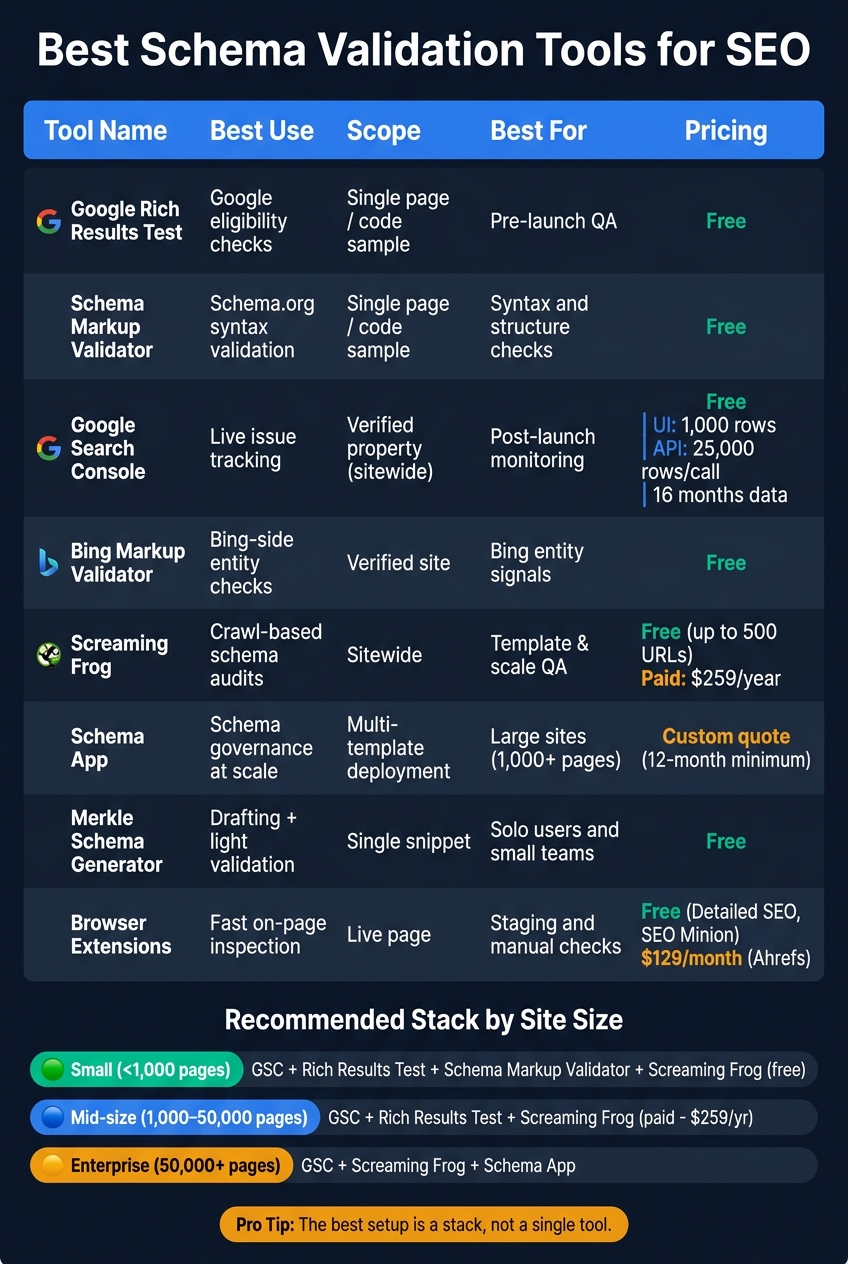
Best Schema Validation Tools for SEO: Quick Comparison Guide
Implementing and Validating Structured Data in an SEO Process: Criteria, Resources and Tools
sbb-itb-a84ebc4
Quick Comparison
| Tool | Best use | Scope | Best for |
|---|---|---|---|
| Google Rich Results Test | Google eligibility checks | Single page / code sample | Pre-launch QA |
| Schema Markup Validator | Schema.org validation | Single page / code sample | Syntax and structure checks |
| Google Search Console | Live issue tracking | Verified property | Post-launch monitoring |
| Bing Markup Validator | Bing-side review | Verified site | Bing entity checks |
| Screaming Frog | Crawl-based schema audits | Sitewide | Template and scale QA |
| Schema App | Schema control at scale | Multi-template deployment | Large sites |
| Merkle | Drafting + light validation | Single snippet | Solo users and small teams |
| Browser extensions | Fast on-page inspection | Live page | Staging and manual checks |
My takeaway: the best setup is usually a stack, not a single tool. For most teams, that means Google Search Console + Rich Results Test + Schema Markup Validator, then adding Screaming Frog when the site gets large enough that manual checks stop working.
1. Google Rich Results Test
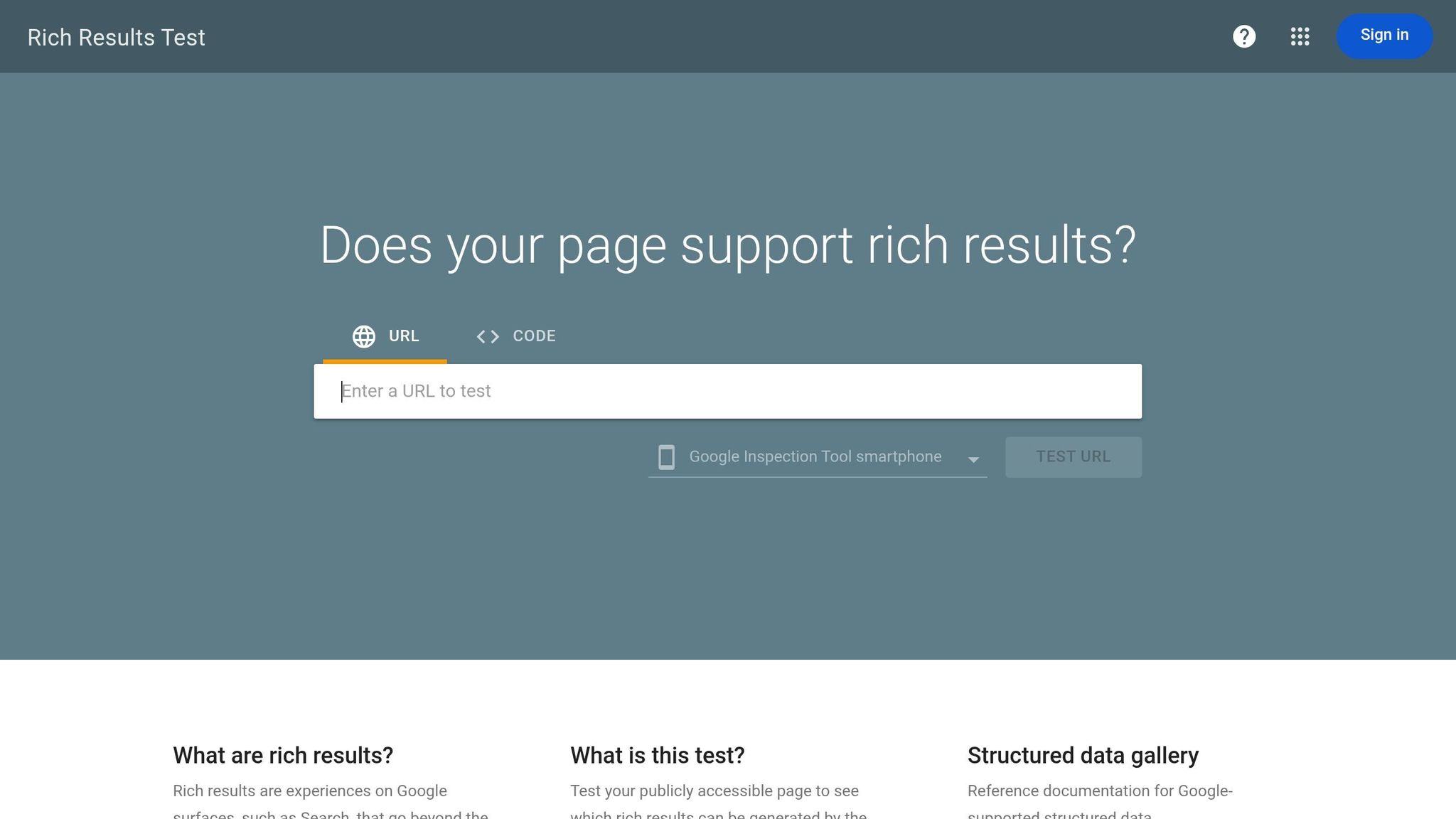
Google's Rich Results Test is a free browser tool that checks whether a page can qualify for Google rich results. It's best when you need a quick read on Google eligibility - not a full Schema.org check.
Validation scope
The tool checks Google-supported rich result types, including Product, LocalBusiness, FAQPage, BreadcrumbList, Article, Event, JobPosting, Recipe, HowTo, and VideoObject. You can test either a live URL or raw code.
One status to watch is "valid but not eligible." That usually means the markup itself is fine, but the page doesn't meet Google's feature rules. For example, it may break Google's eligibility rules.
FAQPage markup is still checked here, even though rich FAQ results in Google Search are now mostly limited to government and health sites.
Markup coverage
The tool supports JSON-LD, Microdata, and RDFa, but only for rich result types that Google supports. If you want full Schema.org validation, that's a job for Schema Markup Validator.
Workflow and export depth
The Rich Results Test is strongest for single-page QA. It also shows a visual preview of how a rich result may appear in Google Search.
Here's the practical split:
- Live URL test: Good for spotting rendering problems and blocked resources
- Raw code test: Good for pre-deployment QA
For larger rollouts, the Rich Results Test API can batch-validate pages. That's handy when you're testing templates on a small set of URLs before publishing at scale. Use it before launch, then run it again after fixes to confirm eligibility.
Best-fit site size
The RRT works for sites of any size. Small and mid-size sites usually get the most out of one-off page checks and manual reviews of new content. Enterprise and programmatic sites tend to get the most value from testing the first batch of URLs before a broader rollout.
At scale, it works well alongside Google Search Console for post-launch monitoring and Screaming Frog for site-wide audits.
For broader Schema.org validation, use Schema Markup Validator next.
2. Schema Markup Validator
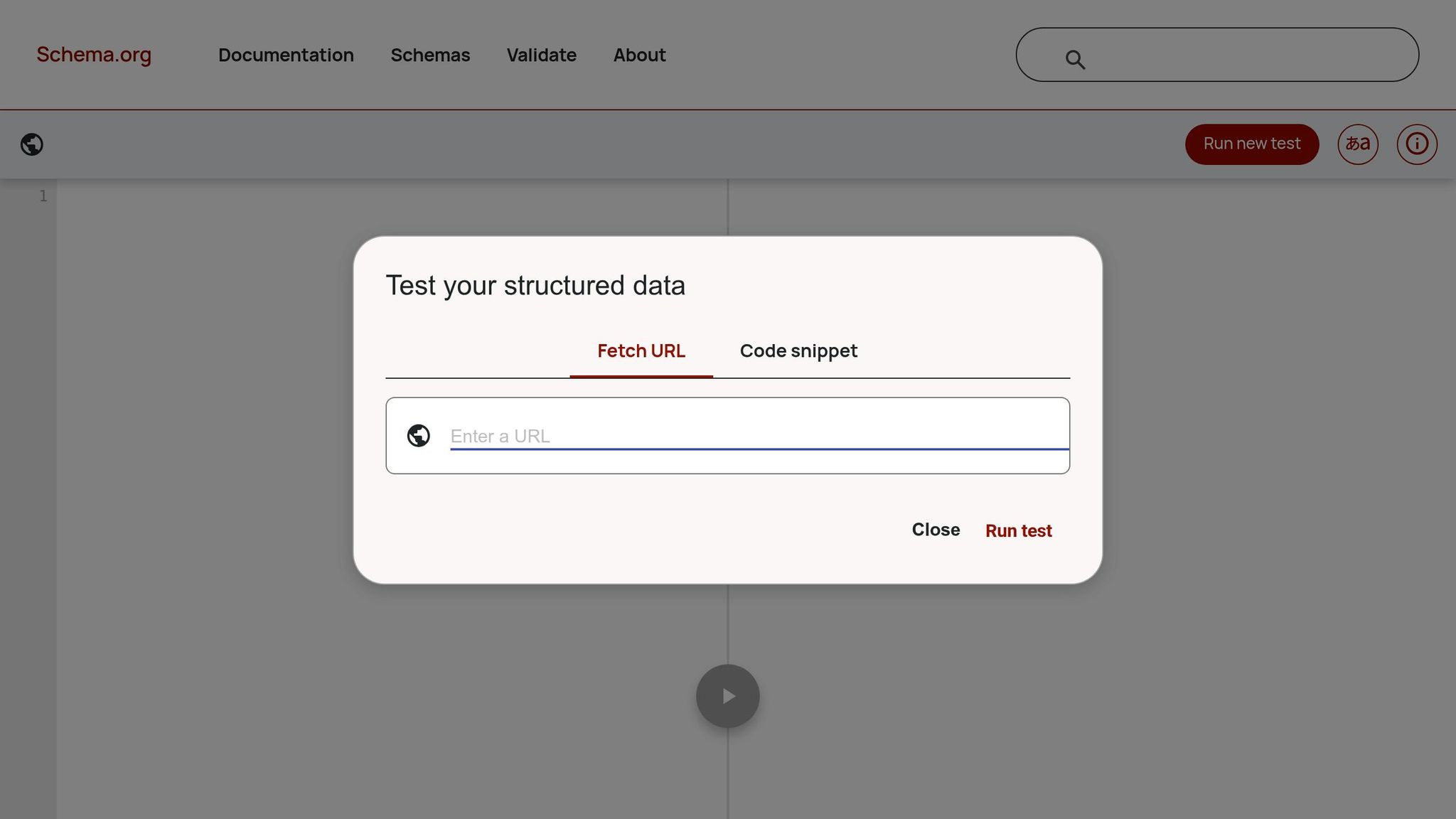
Schema Markup Validator (validator.schema.org) is a free browser tool from Schema.org. Its job is simple: it checks whether your Schema.org markup is structurally correct. It does not tell you whether that markup can earn Google rich results. That’s the key difference. Google's Rich Results Test checks if your markup is eligible for Google search features. SMV checks whether the code itself is put together the right way.
Validation scope
SMV validates against the full Schema.org vocabulary and syntax, not just the set Google supports. That matters because Google only uses part of Schema.org. If you’re working with markup outside Google’s supported set, SMV can still check whether it’s valid.
It can catch technical errors like missing commas and invalid data types - for example, using a string when a number is expected. It also helps confirm nested entities and @id links.
Use it alongside Google's Rich Results Test when you need both structure checks and Google eligibility checks.
Markup coverage
SMV supports JSON-LD, Microdata, and RDFa. For SEO work, JSON-LD is still the recommended format because it’s easier to manage and less likely to conflict with HTML.
The tool is also handy when you want to validate any Schema.org type, including custom setups or less common markup that Google’s validator may not check in full.
Workflow and export depth
SMV works best in staging QA before templates go live in production. Think of it as a spot-check tool, not a reporting platform. It has no meaningful batch export or reporting workflow, so it’s built for validation, not monitoring.
If you publish at scale, manual checks won’t cut it for long. In that case, automate validation inside your CMS or CI pipeline.
Teams also use SMV for periodic audits. That helps catch schema drift when template changes or site updates break markup that used to work.
Best-fit site size
SMV is most practical for small to mid-size sites that handle manual QA at the page or template level. It’s also useful for developers and SEO managers debugging CMS-generated markup in systems like WordPress or Shopify.
For enterprise sites, use it as a diagnostic tool for specific errors, not as the main governance layer.
For post-launch visibility and recurring coverage issues, move to Search Console’s rich result reports.
3. Google Search Console Rich Result Reports
Schema Markup Validator checks whether your markup is built the right way. Google Search Console (GSC) shows what Google has actually processed after the page is live. That changes schema validation from page-by-page testing to post-launch monitoring across your verified property.
Validation scope
In GSC, the Enhancements section detects supported structured data types across your site and creates a report for each one. Each report sorts URLs into three statuses: Valid, Valid with Warnings, and Error.
You also get a timeline graph that shows how those counts move over time. That makes it easier to spot regressions after a rollout or a template update.
GSC works best when a URL has already been processed by Google and something later goes wrong. It is less useful for markup that was broken from day one.
Markup coverage
GSC focuses on schema types tied to Google's rich results, including Product, Article, FAQ, Breadcrumbs, and Video. It does not check the full Schema.org vocabulary, so custom or less common types might not show up in reports.
That is why it works well alongside Schema Markup Validator, which gives broader syntax checks.
GSC still tracks FAQPage markup, but Google now limits FAQ rich results.
Workflow and export depth
GSC is built for post-launch monitoring, not pre-launch QA. After you fix an issue, use Validate Fix to ask Google to reprocess it. Then wait - reporting is delayed, so status changes do not appear right away.
At scale, export limits matter:
- The native UI exports up to 1,000 rows
- The API allows up to 25,000 rows per call
- GSC keeps only 16 months of data, so teams that need longer history should export it before that window closes
Best-fit site size
GSC helps sites of any size, but the upside grows as the site gets more complex.
Small sites get free, always-on monitoring with little setup. Mid-size teams can group issues and fix template-level errors that affect many URLs at once. Enterprise teams get the most from API-based monitoring, which supports automated alerts and faster detection of indexing or structured data regressions.
For Bing-specific validation, the next tool covers Microsoft's structured data checks.
4. Bing Markup Validator
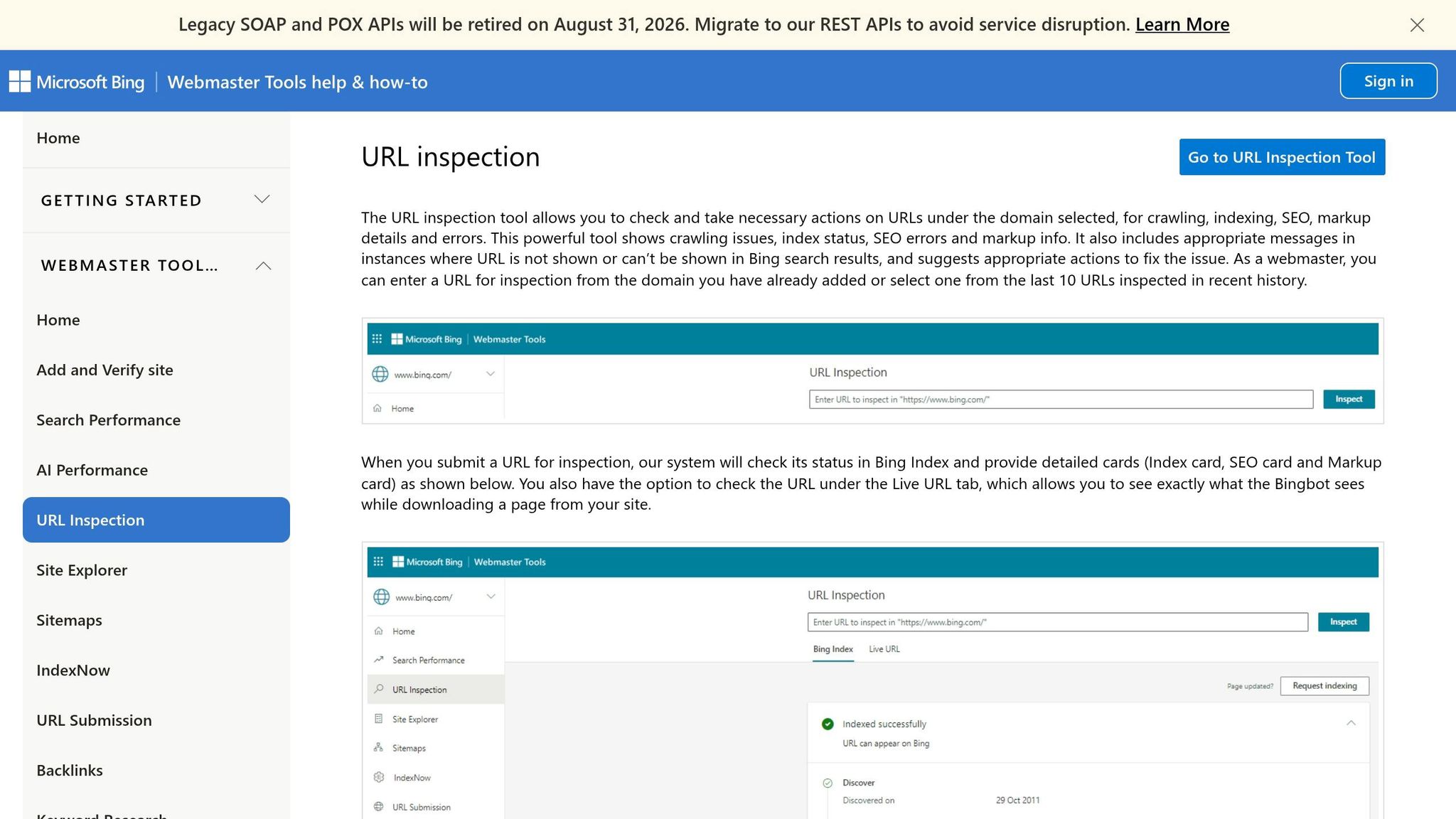
If your team wants a Microsoft-side check after running Google's tools, Bing Markup Validator is the closest match. It's part of Bing Webmaster Tools and shows how Microsoft reads your structured data. That gives SEO teams a Bing-specific check that works alongside Google-side validation.
Validation scope
This tool is especially useful for Organization and Person markup. That's where sameAs and other identity signals can help Bing connect the dots and resolve entities. Its main use is entity clarity and identity signals - not broad rich-result testing.
"Schema markup helps Microsoft's LLMs understand content." - Fabrice Canel, Principal Product Manager, Microsoft Bing
Markup coverage
Like the rest of Bing Webmaster Tools, this validator works best as a spot check, not as a reporting layer. Bing is especially helpful for Organization, Person, LocalBusiness, and Article schema when your goal is better entity clarity inside Microsoft's knowledge layer.
It's also a good fit for pages where schema spells out facts such as prices, business hours, and contact details. Keeping dateModified current matters here too.
Workflow and export depth
Bing Markup Validator is free for verified site owners and works well as a companion check to Google's tools. Results stay inside Bing Webmaster Tools, so most teams use it for in-dashboard QA instead of exports or formal reporting.
Best-fit site size
Its usefulness goes up when a site publishes for more than one search ecosystem. Small and mid-size sites can use Bing Markup Validator as a light QA check alongside Google tools.
For larger sites, it makes more sense as a recurring QA step - especially for sites that publish Microsoft-facing content or want a second search-engine-specific check.
5. Screaming Frog SEO Spider
The tools above check pages one by one. Screaming Frog SEO Spider is different - it crawls your whole site in one pass. That matters when you're dealing with hundreds or thousands of URLs.
Unlike browser-based validators, Screaming Frog helps you spot schema problems at the template level across a full crawl. If the same mistake shows up on 5,000 pages, you'll see it fast.
Validation scope
Screaming Frog's built-in Structured Data Validator checks Schema.org markup for syntax, required properties, and indexability. It also flags schema on pages blocked by noindex, canonical tags, or robots.txt.
If your site relies on JavaScript frameworks like React or Angular, its Chromium Web Rendering Service (WRS) can render the page and surface schema that appears only after JavaScript loads.
Markup coverage
The crawler detects and reports on JSON-LD, Microdata, and RDFa. It can flag:
- Missing required properties
- Syntax errors
- Duplicate schema blocks
- Template-level errors repeated across thousands of pages
You can also use Custom Extraction with XPath or regex to pull fields like prices or SKUs, then compare that data against what's in your structured markup. That's handy for QA when product data and schema drift out of sync.
Workflow and export depth
Screaming Frog exports to CSV, Excel, or Google Sheets. Paid plans add GSC, GA4, and PageSpeed Insights integrations.
It also includes Crawl Comparison for spotting regressions and a CLI mode for automating recurring audits. So instead of juggling separate tools for checks, exports, and repeat scans, you can handle QA, reporting, and scheduled audits in one setup.
| Feature | Free Version | Paid Version |
|---|---|---|
| Crawl limit | Limited | Unlimited |
| JavaScript rendering | No | Yes |
| Custom extraction | No | Yes |
| GSC & GA4 integration | No | Yes |
| Scheduling & CLI | No | Yes |
Best-fit site size
The free version covers up to 500 URLs. The paid version costs $259/year.
It's a strong fit for:
- Enterprise catalogs
- Site migrations
- Large template audits
Because it's a desktop app, crawl speed depends on your local hardware. Large sites need more RAM and CPU to crawl at a useful pace.
For teams that want schema governance and monitoring on top of crawling, Schema App adds that extra layer.
6. Schema App
For teams that have moved past page-by-page checks, Schema App adds deployment and governance at scale.
Schema App is a schema governance platform, not a simple spot-check validator. This section is for teams that need validation and ongoing schema control.
Validation scope
Schema App focuses on entity graph consistency - using stable @id references to build a linked schema graph that connects authors, organizations, and content. It checks whether those entities stay linked the same way across templates, which helps search systems tell your brand apart from similar entities.
Markup coverage
It’s strongest for governing Organization, Person, Article, Product, Service, and LocalBusiness markup.
Workflow and export depth
Schema App automates schema deployment across templates, which cuts down on manual updates. It also catches schema drift as templates change and keeps dateModified current across templates.
Pricing is quote-based and comes with a 12-month minimum term.
Best-fit site size
Schema App is built for sites with 1,000+ pages, where manual schema management starts to break down. It fits large e-commerce catalogs and multi-regional sites especially well.
Smaller sites - or teams doing one-off checks - will usually do better with free tools like the Google Rich Results Test or Schema Markup Validator.
| Factor | Schema App |
|---|---|
| Target site size | 1,000+ pages |
| Deployment | Automated across templates |
| Validation type | Entity graph consistency + drift monitoring |
| AI enrichment | Yes - field suggestions included |
| Pricing | Custom quote; 12-month minimum |
For lighter, manual validation, the next tool goes back to a free browser-based workflow.
7. Merkle Schema Markup Generator & Validator
If your team wants a fast, browser-based starting point, Merkle is the lightest tool on this list. It starts with code generation: pick a schema type, fill in the fields, and the tool outputs JSON-LD that's ready to paste into a page. The generator and validator sit in the same browser workflow, so you can validate JSON-LD as you build it and catch missing required properties for Google-supported rich results. It works well as a first pass before Google Rich Results Test.
Markup coverage
Merkle focuses only on JSON-LD, which is Google's recommended format for structured data. It supports common schema types like Article, FAQPage, HowTo, Product, LocalBusiness, BreadcrumbList, Organization, Person, VideoObject, and JobPosting.
Workflow and export depth
Merkle makes the most sense at the start of a schema workflow, not the finish line. You create a snippet, validate the syntax in the browser, and then check eligibility in Google Rich Results Test before sending anything to production.
There's no bulk export, API, or collaboration layer here. It's a single-page utility built for manual use, and it runs in the browser with no install.
That means Merkle is best used as a schema drafting tool, not a monitoring layer. It's a good fit for quick manual checks, but not for team-wide governance or large-scale monitoring. One smart habit: update the dateModified field by hand whenever the page changes so freshness data stays accurate.
Use Merkle to build templates fast. Then use crawler or reporting tools for recurring validation.
Best-fit site size
Merkle fits solo SEOs, freelancers, and small development teams. It's free, needs no account, and can produce deployable code in minutes.
Small sites usually get the most out of it because manual template checks are still manageable. Large sites tend to outgrow it fast, since that kind of scale usually calls for automation. Still, for building and sanity-checking single templates, Merkle is hard to beat at $0.
| Factor | Merkle Schema Markup Generator |
|---|---|
| Pricing | Free, no signup required |
| Format support | JSON-LD only |
| Validation type | Syntax + Google rich result eligibility |
| Export / sharing | Manual copy-paste only |
| Best-fit site size | Small sites, solo SEOs, dev handoff |
8. Structured Data Browser Extensions
Browser extensions are the fastest way to do a manual structured data check on a live page. They sit in the middle ground between one-off validators and full-site crawlers. In practice, they're handy for pre-publish QA, quick development checks, and competitor reviews. Most of the main SEO extensions in this group are built for Google Chrome.
Validation scope
The main upside is simple: access. Extensions can inspect structured data on local dev setups, staging sites, and logged-in pages - places a public URL validator often can't reach. They can also inspect the rendered DOM after JavaScript loads, which matters when JSON-LD is injected client-side.
Use them for live-page inspection, not as your main control layer. Google's validator and Search Console are still the tools for eligibility checks and monitoring. So extensions are best for fast verification, not governance.
Markup coverage
These tools are best at quick on-page inspection, not deep schema management. Detailed SEO Extension is a strong free choice for on-page inspection. It shows metadata, headings, and a schema overview. SEO Minion is another free option for on-page audits and broken-link checks. Ahrefs SEO Toolbar adds redirect checks, broken links, and other technical QA, and it comes with Ahrefs plans starting at $129/month.
Workflow and export depth
Extensions are built for speed, not documentation. They're a good fit for pre-publish QA, live-page checks, and template spot-checks. Use browser inspection to confirm that images referenced in your structured data use absolute URLs and are accessible. But they don't replace a crawler for bulk validation.
Best-fit site size
Extensions make the most sense for solo SEOs, freelancers, and small in-house teams doing manual, page-level reviews. They're also useful for developers checking templates in staging before launch. They work best when manual QA is still realistic.
Once you get into large sites or enterprise teams, the limits show up fast. There's no practical way to scale a manual browser check across thousands of URLs. At that point, extensions work as a complement to crawlers, not a replacement.
| Extension | Pricing | Best For |
|---|---|---|
| Detailed SEO Extension | Free | On-page inspection, schema overview |
| SEO Minion | Free | On-page audits, broken link checks |
| Ahrefs SEO Toolbar | Bundled with Ahrefs plans starting at $129/month | Redirects, broken links, technical QA |
Use extensions for quick live-page checks. The next section groups tools by workflow.
Pros and Cons by SEO Workflow
Pick the tool based on the job. In practice, that usually means one of four things: page checks, template QA, post-launch monitoring, or sitewide audits. The tools below line up well with each of those tasks.
Best tools for one-off page checks
Use Google Rich Results Test when you need to check Google eligibility. Use Schema Markup Validator when you want a fuller look at Schema.org syntax. That combo works well for single-page reviews.
The downside is simple: there’s no sitewide view.
Browser extensions help here, especially for staging, logged-in pages, and rendered DOM checks where a standard validator may miss what the browser actually shows.
Best tools for development and template QA
A single page can pass and the template can still be broken. That’s when it makes sense to move from validators to crawlers.
Screaming Frog is the main crawl-based QA tool for this step. It’s useful for crawling staging sites and spotting repeated template errors before launch. The tradeoff is cost and setup.
Best tools for post-launch monitoring
Once the site is live, the focus changes. It’s no longer just about whether the code is valid. It’s about what Google and Bing actually processed.
Use Google Search Console for live monitoring, and Bing Webmaster Tools as a second engine-specific check.
Best tools for sitewide audits and governance
At scale, crawl breadth matters more than manual review.
Use Screaming Frog for crawl audits and Schema App for governance.
| Workflow | Primary Tool | Pair With | Key Limitation |
|---|---|---|---|
| One-off page checks | Google Rich Results Test | Schema Markup Validator | No sitewide coverage |
| Template QA | Screaming Frog | Browser Extensions | Local hardware limits scale |
| Post-launch monitoring | Google Search Console | Bing Webmaster Tools | Data is delayed |
| Sitewide audits | Screaming Frog | Schema App | Cost and setup |
| Enterprise governance | Schema App | Screaming Frog | High cost; more setup |
Conclusion
No single tool handles eligibility, syntax, monitoring, and governance on its own, though many marketing software vendors offer specialized features for these tasks.
Google's tools show what can qualify for rich results. The Schema.org validator spots syntax issues that Google tools can miss. Crawlers catch template-level problems across a whole site. And managed platforms help with governance when a site gets too big to review by hand.
So the choice isn't about finding one perfect tool. It's about building the right workflow.
Tool combinations by site size
The right stack depends on site size and how your team works.
| Site Size | Core Stack |
|---|---|
| Small (<1,000 pages) | GSC + Google Rich Results Test + Schema Markup Validator + Screaming Frog free tier |
| Mid-size (1,000–50,000 pages) | GSC + Google Rich Results Test + Screaming Frog paid |
| Enterprise (50,000+ pages) | GSC + Screaming Frog + Schema App |
Mid-size teams usually get the most out of pairing a paid crawler with GSC. That setup helps catch template regressions while content output grows.
Enterprise teams need automation and governance. In practice, that often means using Screaming Frog for sitewide audits and Schema App for day-to-day schema control.
Where to start
For most teams, the best stack is layered - not a single tool.
Start here:
- Google Search Console
- Rich Results Test for eligibility
- Schema Markup Validator for syntax
- Screaming Frog for sitewide audits
FAQs
Which schema validation tool should I start with?
Start with Google Rich Results Test for a fast, Google-specific check. It shows whether key schema types like Article, FAQPage, and Product are eligible for rich results.
Then use Schema Markup Validator to catch broader schema.org syntax and structure issues. After that, check Google Search Console’s Rich Results report to confirm errors, review warnings, and track fixes over time.
Why do I need more than one schema tool?
Using more than one schema tool is standard practice because one tool rarely checks everything well.
Use the Google Rich Results Test and the Schema.org validator together. Google’s tool checks whether your markup is eligible for rich results. The Schema.org validator can spot structural or syntax problems that Google may not flag.
That combo helps you catch malformed schema before it slips through.
When should I use Screaming Frog or Schema App?
Use Screaming Frog Schema App when you need deep, URL-level schema validation across a lot of pages. It works well for complex sites and pages that rely on JavaScript. It’s also handy when you need exports and more detailed reports to hand off to a dev team.
The free tier covers up to 500 URLs, which makes it a good fit for quick spot checks. The paid version costs about $259/year and makes more sense for larger audits, added control, and periodic technical deep dives.