Voice search is transforming how B2B buyers find information. By 2026, 55% of all searches will be voice-based, with professionals relying on conversational queries like, "Which CRM integrates with HubSpot?" Here's how you can optimize for this shift:
- Target Position Zero: Voice assistants often pull answers from featured snippets. Focus on concise, direct responses (40–60 words).
- Use Natural Language: Optimize for question-based keywords (e.g., "How does marketing automation improve lead quality?").
- Leverage Schema Markup: Add structured data like FAQPage or Speakable to help search engines understand your content.
- Enhance Mobile Performance: Speed up load times and ensure your site is mobile-friendly.
- Build FAQ Sections: Answer common questions clearly and conversationally.
Voice search isn't just a trend - it's a key part of how decision-makers gather insights. By aligning your content with these strategies, you can meet their needs and stay ahead in the evolving B2B landscape.
How to Optimize Your Site for Voice Search
sbb-itb-a84ebc4
How Voice Search Works in B2B
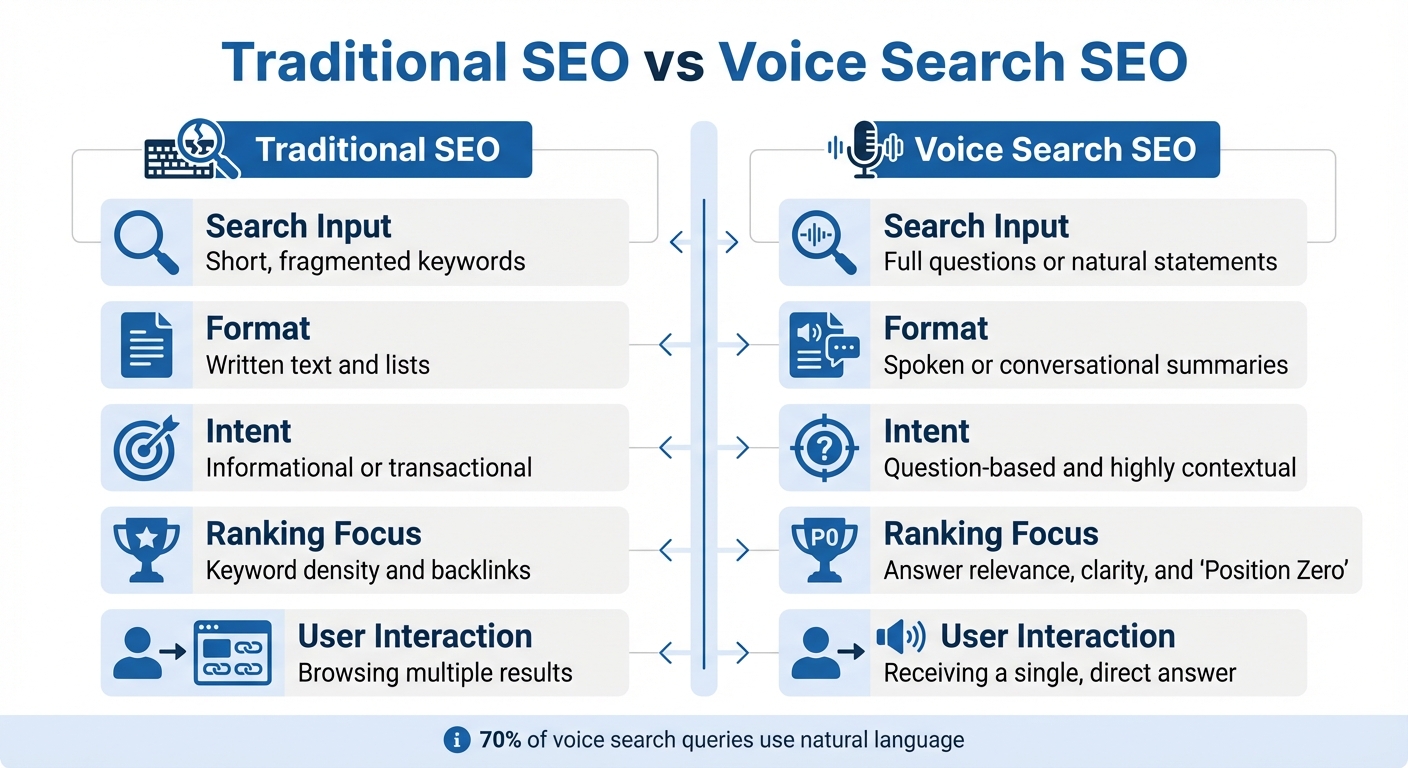
Traditional SEO vs Voice Search SEO Comparison for B2B
Voice search operates differently from traditional search methods. While B2B professionals often type short, fragmented keywords, they tend to use full questions or natural language when speaking. For example, instead of typing "best CRM software small B2B", they might ask, "Which CRM software is best for small B2B companies?" This shift toward conversational language means content needs to adapt accordingly.
Voice search relies on Natural Language Processing (NLP) to not only understand the words but also the context behind them. Voice assistants factor in details like the user’s location, device, past searches, and phrasing to deliver a single, immediate answer - often pulled from a featured snippet or "Position Zero." In fact, nearly 40.7% of voice search results come directly from these snippets.
"Voice search is no longer just for consumers asking for the weather or directions. In B2B, it is becoming part of how professionals find quick answers, industry insights, and product recommendations."
– Ashish Shetty, B2B Growth Strategist
Unlike traditional SEO, which emphasizes keyword density and backlinks, voice search prioritizes short, clear answers - usually 40 to 60 words - that directly address spoken queries.
| Aspect | Traditional SEO | Voice Search SEO |
|---|---|---|
| Search Input | Short, fragmented keywords | Full questions or natural statements |
| Format | Written text and lists | Spoken or conversational summaries |
| Intent | Informational or transactional | Question-based and highly contextual |
| Ranking Focus | Keyword density and backlinks | Answer relevance, clarity, and "Position Zero" |
| User Interaction | Browsing multiple results | Receiving a single, direct answer |
These differences highlight how B2B professionals use voice search to make informed decisions quickly and efficiently.
Voice Search in B2B Decision Making
To optimize content for B2B decision-makers, it’s essential to understand how they use voice search. B2B professionals often rely on voice search for tasks like vendor comparisons, researching technical specifications, and gathering industry insights - all while multitasking or commuting. For instance, a procurement manager might ask, "What are the security features of Salesforce compared to Microsoft Dynamics?" while on the move. Similarly, a marketing director might query, "How does marketing automation improve B2B lead quality?" while reviewing reports.
These moments are high-intent opportunities during the research and evaluation phases of the buying journey. If your content appears as the voice assistant’s answer, you’ve already established credibility before the prospect even visits your site. Samuel Thimothy, VP at OneIMS, explains: "B2B buyers conduct extensive research before making purchasing decisions, and voice search is becoming an integral part of this process".
The hands-free convenience of voice search makes it especially appealing to busy executives who need quick and reliable answers without disrupting their workflow. Notably, 70% of voice search queries are phrased in natural language, mimicking how users would speak to a friend rather than typing into a search engine. This means B2B content must move away from dense technical jargon and instead offer clear, straightforward answers.
Voice Search Statistics for B2B
The data paints a clear picture of voice search’s growing influence. By 2024, there were an estimated 8.4 billion voice assistants in use globally, with 28% of consumers in the US and UK using them daily. For B2B marketers, the numbers are even more compelling: over 60% of B2B buyers report that mobile devices played a major role in their recent purchases, and 20% of all mobile web sessions now begin with voice-based queries.
From a financial perspective, the global speech and voice recognition market was valued at approximately $17 billion in 2023 and is expected to grow to $83 billion by 2032. Additionally, 72% of voice-activated speaker owners use their devices daily, proving that voice search has become a deeply ingrained habit rather than a passing trend.
For B2B companies, these statistics highlight a major opportunity. Voice search users demonstrate high intent with their question-driven queries and expect fast, accurate answers. Since voice assistants typically provide only one response, competition for "Position Zero" is fierce. Companies that optimize their content for conversational, intent-based searches are well-positioned to capture decision-makers during critical moments in their buying process.
Step 1: Research Keywords for Voice Search
Voice search requires a tailored SEO strategy. By 2026, voice queries are expected to make up about 55% of all searches, and they tend to be roughly 20% longer than text-based queries. Rather than typing something like "CRM software", users often phrase full questions, such as "What is the best CRM software for a small marketing agency?" To succeed, you need to pinpoint the conversational phrases your audience uses when speaking to voice-enabled devices.
About 70% of voice search queries are framed in natural, conversational language. Think of how someone might casually ask a coworker for advice. For example, a procurement manager is unlikely to say "team collaboration tools" alone. Instead, they might ask, "How to enhance team collaboration tools for remote engineering teams?" These longer, intent-focused queries not only reveal what users want but also face less competition compared to shorter, generic terms.
To identify these phrases, dig into real conversations. Analyze sales call transcripts, support tickets, and CRM notes. These sources often highlight the exact language prospects use. For instance, if customers frequently ask, "How does marketing automation improve B2B lead quality?" during discovery calls, that phrase becomes a prime target for voice search optimization.
Voice assistants typically provide just one answer, and 40.7% of those answers come from featured snippets. This means it's not just about ranking on the first page - you need to aim for Position Zero. Focusing on question-based keywords can help you win this spot and align your content with how people naturally speak.
Focus on Question-Based Keywords
Question-based keywords are essential because they reflect how people naturally phrase their queries. These keywords often include words like "who", "what", "where", "when", "why", and "how". For example, instead of targeting broad terms like "SaaS accounting tool", you could optimize for conversational queries such as "What is the best SaaS accounting tool for small business owners?".
Here’s a quick comparison to illustrate the difference between typed and voice-based searches:
| Search Type | Query Example | Traits |
|---|---|---|
| Typed (B2B) | "best CRM for small business" | Short, fragmented, keyword-focused |
| Voice (B2B) | "What is the best CRM software for a small marketing agency?" | Long-tail, conversational, full sentence |
| Typed (B2B) | "team collaboration tools" | Broad, high competition |
| Voice (B2B) | "How to enhance team collaboration tools for remote engineering teams?" | Specific, intent-rich, question-based |
To craft content that appeals to voice search, focus on providing concise, direct answers. Voice assistants favor responses that are clear and to the point.
Tools like Google's "People Also Ask" (PAA) can help you uncover conversational queries. Search for a core keyword and review the related questions that appear - they reflect what users are actively asking . For example, searching "marketing automation" might surface questions like "How does AI-powered marketing automation improve ROI?" or "Which CRM software is best for small B2B companies?".
Structure your content using these question-based queries as H2 or H3 headers. By doing so, you signal to search engines that your content directly answers user questions, increasing the likelihood of being featured as a spoken response . Since the average voice search result is between 29 and 50 words, make sure your answers are brief and precise.
Tools for Voice Search Keyword Research
Traditional SEO tools often prioritize short, high-volume phrases, but voice search demands a focus on longer, conversational queries. Once you identify these natural-language keywords, specialized tools can help refine your strategy. Marketers using voice search optimization tools are 2.4 times more likely to capture featured snippets than those relying on standard SEO platforms.
Here are some tools to consider:
- AnswerThePublic: Generates common "who, what, why" questions based on your seed keyword .
- Google "People Also Ask": Shows related conversational queries currently ranking in search results .
- Semrush / Ahrefs: Offers filters to isolate question-based keywords and track featured snippet opportunities .
- AlsoAsked: Maps out related questions users commonly ask about a topic.
- ChatGPT / Gemini / Claude: Analyzes raw conversational data from customer interactions, grouping phrases by intent.
For example, entering "B2B lead generation" into AnswerThePublic can generate clusters of relevant questions to guide your strategy. Similarly, tools like Semrush's Keyword Magic Tool and Ahrefs can help you find question-based keywords with a minimum of 100 searches per month and a Keyword Difficulty (KD) score under 50. This combination ensures both sufficient search volume and a realistic chance to rank for Position Zero.
Don't overlook platforms like social listening tools or review sites, where prospects often discuss challenges in plain language. Sales call transcripts analyzed with tools like ChatGPT, Gemini, or Claude can uncover colloquial or regional phrasings that traditional keyword tools might miss.
| Tool | Purpose for Voice Search Research |
|---|---|
| AnswerThePublic | Identifies common "who, what, why" questions related to a seed keyword |
| Google "People Also Ask" | Reveals related conversational queries currently ranking in SERPs |
| Semrush / Ahrefs | Helps identify question-based keywords and track featured snippet opportunities |
| AlsoAsked | Maps out the hierarchy of related questions users ask about a topic |
| ChatGPT / Gemini / Claude | Clusters raw conversational data from support logs into intent-based groups |
Finally, ensure your pages meet the technical requirements for voice search. Tools like PageSpeed Insights and Sitebulb can help you optimize site speed - a key factor since voice search results load 52% faster than the average web page. This technical edge can make a big difference in securing a spot in voice search results.
Step 2: Adjust Your Content for Voice Search
After pinpointing the right keywords, it's time to tweak your content for voice search. This means moving away from keyword-heavy text and adopting a conversational, straightforward tone that mirrors how people naturally speak. Voice search is a key tool for reaching busy B2B decision-makers, whether they’re commuting, walking between meetings, or juggling tasks at their desks. By aligning your content with voice search intent, you can ensure it lands with the right audience.
Build FAQ Sections
FAQ pages are perfect for voice search because they reflect the way people naturally pose questions. B2B users often phrase their queries as full sentences. For instance, instead of typing "CRM integration", they might ask, "What CRM works best with HubSpot?" Structure these questions as H2 or H3 headers, and pair them with concise answers of 40–50 words.
"Implementing schema markup (structured data) can help search engines categorize and display your content in rich snippets. This format makes it more likely to be pulled into voice search results."
– Samuel Thimothy, VP, OneIMS
Incorporate FAQ schema markup to boost your chances of appearing in featured snippets, which make up about 40.7%–41% of voice search answers. Tools like Google’s Structured Data Markup Helper can generate the necessary code, and the Rich Results Test ensures it’s formatted correctly.
When writing answers, steer clear of technical jargon. Aim for clarity, as if you’re explaining to a colleague over coffee. For example, instead of saying, "Our platform leverages API-driven architecture to facilitate seamless data synchronization", try, "Our platform connects directly to your tools and keeps your data in sync automatically."
Use Structured Data and Schema Markup
Structured data acts as a bridge between your content and search engines, helping AI assistants understand its meaning. For B2B companies, this is crucial because voice assistants need to identify your brand as a reliable source for industry-specific questions.
Different schema types serve specific purposes:
- FAQPage schema: Ideal for answering "how-to" or "what is" queries.
- LocalBusiness schema: Enhances visibility for location-based searches like "B2B software vendors near me."
- Organization schema: Connects your company’s name, services, and expertise across the web.
| Schema Type | B2B Application | Voice Search Benefit |
|---|---|---|
| FAQPage | Product or service FAQ sections | Provides direct answers to common questions |
| LocalBusiness | Physical office or warehouse locations | Improves visibility for location-based searches |
| Organization | Corporate identity and contact info | Establishes trust for industry-specific queries |
| Speakable | News or technical articles | Highlights text optimized for audio playback |
| Product | Software or equipment specifications | Supplies data for pricing and feature comparisons |
Speakable schema is especially useful, as it identifies content optimized for audio playback. You don’t need advanced coding skills to implement schema, and tools like the Rich Results Test can validate your work before publishing.
Create How-To Guides and Lists
Once your schema is in place, make your content even more voice-friendly by using simple guides and lists. These formats work well for voice search because they break down information into easy-to-digest steps or summaries. For example, if someone asks, "How do I set up marketing automation for B2B lead nurturing?" they’re expecting clear, actionable steps - not a long, dense paragraph.
Organize guides with numbered steps and descriptive headers. For instance, "Step 1: Define Your Lead Scoring Criteria" is more engaging than a vague title like "Initial Setup." Keep each step short, around 30–60 words, with enough detail to inform without overwhelming.
Lists are equally effective. A query like "What are the best tools for B2B email marketing?" calls for a concise list rather than an in-depth analysis. For example:
- HubSpot Marketing Hub: All-in-one platform with built-in CRM and automation workflows.
Use semantic HTML (H2s and H3s) to improve both readability and voice assistant recognition. This structure helps AI understand the hierarchy of your content while also benefiting users with screen readers.
Since 70% of voice search requests are phrased in natural language, write as if you’re having a conversation. Use phrases like "Follow these steps" instead of "Execute the following protocol", or "Open your dashboard" rather than "Utilize the dashboard interface." This conversational tone not only makes your content easier to process when spoken aloud but also increases its chances of being selected for voice search results.
Step 3: Fix Technical and Mobile Issues
Now that your content is tailored for voice queries, it's time to ensure your site meets the technical and mobile standards that voice search demands. Voice search users expect lightning-fast performance, so your site needs to deliver speed and efficiency to be chosen by voice assistants.
Speed Up Your Website and Improve Mobile Design
Focus on optimizing your Core Web Vitals - specifically Largest Contentful Paint (LCP), First Input Delay (FID), and Cumulative Layout Shift (CLS). These metrics cover how quickly your main content loads, how responsive your site is to interactions, and whether elements stay stable during loading. On top of that, implement HTTPS encryption, as secure sites are favored by voice assistants when pulling content for responses.
Your site’s mobile design also plays a huge role. Since most voice searches happen on mobile devices, your site should be easy to navigate on smaller screens. Use a clean layout with fewer elements, large touch targets, and sticky search bars for quick access. Features like collapsible filters can help make the most of limited screen space, while high-contrast, oversized sans-serif fonts improve readability for users who might only glance at their screens while multitasking. Adding conversational UI feedback - such as sounds or visual indicators - can reassure users that their requests are being processed.
Optimize for Local B2B Searches
Once your site’s technical performance is in check, shift your attention to local search optimization. Did you know that over 60% of voice searches with location-based intent include phrases like "near me"? For B2B companies, this could mean professionals using voice search to find nearby logistics providers, warehouses, or consultants.
Start by optimizing your Google Business Profile. Use precise business categories (e.g., "Industrial Equipment Supplier" instead of a generic "Supplier"), keep your hours current, and ensure your Name, Address, and Phone number (NAP) details are accurate. Research shows that 76% of voice search users visit a business within 24 hours of their search.
Consistency is key - make sure your NAP information matches across all directories. To help AI assistants identify your location, naturally incorporate local landmarks or neighborhood names into your meta descriptions and "About Us" pages. Don’t forget to encourage and respond to Google reviews, as voice assistants often prioritize businesses with high ratings and recent activity when answering local queries.
Key Optimization Tips for Voice Search
Here’s a quick checklist to keep your site voice-search-ready:
- Page Load Speed: Aim for under 4.6 seconds - compress images and fine-tune Core Web Vitals using marketing funnel software.
- Local Intent: Create location-specific landing pages for your service areas.
- Data Accuracy: Audit your NAP details across all B2B directories to avoid inconsistencies.
- Content Structure: Use an FAQ format with concise answers (around 29 words) to align with voice search preferences.
- Security: Make sure your SSL certificates are active and regularly audited.
Step 4: Add Voice Search to Your Marketing Funnel
Once you've optimized your keywords and content, the next step is to align voice search with your buyer's journey. With projections indicating that 55% of searches will be voice-driven by 2026, integrating voice search into your marketing funnel is no longer optional - it’s essential. By tailoring your content to match the questions buyers ask at each stage of the funnel, you can ensure your voice search strategy delivers real results.
Match Voice Queries to Funnel Stages
B2B buyers use voice search differently depending on where they are in the funnel. At the awareness stage, their queries are broad and educational. Think questions like, "How do I measure pipeline velocity?" or "What is marketing automation?" This is where your content needs to shine by offering clear, concise answers that establish your authority - without coming across as overly salesy.
As buyers progress to the consideration stage, their queries become more focused and comparative. For instance, they might ask, "What CRM platform integrates best with HubSpot?" or "Which marketing automation tools work for small teams?" At this stage, your content should provide detailed comparisons and technical insights. According to Ashish Shetty from DigitalScouts, conversational SEO plays a key role here by bridging the gap between natural speech and search engine algorithms.
By the time buyers reach the decision stage, their queries reflect high intent. They're asking things like, "Which CRM software is best for small B2B companies?" or "business consulting near me." Since more than 60% of voice queries have local intent, optimizing your Google Business Profile and creating location-specific landing pages becomes critical.
Voice search differs from traditional SEO because it mimics natural speech patterns. To increase your chances of appearing in voice search results, structure your content so that each section begins with a straightforward, 40–60-word answer to a common question. This approach boosts your likelihood of being featured in Position Zero, the source of about 40.7% of voice search answers.
Once your content is optimized, the next step is to measure how well it’s performing in capturing voice-driven traffic.
Track Voice Search Performance
Tailoring content is just the start - tracking performance ensures your strategy stays aligned with evolving buyer behavior. To measure voice search success, go beyond traditional metrics. Use Google Search Console to filter for long-tail, question-based queries that include words like "who", "what", "where", "when", "why", and "how." This will help you identify which voice-driven queries are driving traffic to your site.
Pay close attention to your featured snippet rankings. As Ramona Sukhraj from HubSpot explains:
"Ranking at Position Zero means becoming the answer users hear." – Ramona Sukhraj, HubSpot
Monitor your Position Zero rankings weekly, as these directly influence voice assistant responses. Additionally, analyze mobile engagement metrics like session duration and bounce rates to ensure your content aligns with user intent. For local searches, track "near me" query appearances and referral traffic from review sites and directories to evaluate bottom-funnel performance.
Set a regular schedule for monitoring progress: check featured snippets weekly, review query trends monthly, and conduct full audits quarterly. With 73.7% of marketers planning to maintain or increase their investment in voice search by 2026, staying ahead of the curve can give your business a measurable edge.
For more tools and insights on building effective B2B funnels, visit the Marketing Funnels Directory at https://topmarketingfunnels.com. This curated resource offers tools, vendors, courses, and books to help you refine your strategy.
Conclusion
Voice search is changing how B2B buyers find and evaluate insight-driven solutions. With voice queries making up nearly 55% of all searches, as mentioned earlier, the steps outlined in this guide provide the groundwork for a strategy that connects with buyers in this evolving landscape.
This shift calls for moving beyond traditional SEO to embrace a conversational, AI-focused approach. As Ashish Shetty, B2B Growth Strategist, explains:
"Voice search optimization is not a passing trend. It is part of a long-term shift toward conversational, AI-first discovery".
Key tactics like targeting Position Zero, using schema markup, and ensuring page load times under 2.5 seconds position your brand as a reliable resource for voice assistants.
Voice search isn't just about climbing the rankings - it’s about delivering quick, meaningful answers. Structuring your content to address the "who, what, where, when, why, and how" questions your audience is asking builds trust with decision-makers who need fast, precise information. This approach not only improves visibility but also establishes your brand as a credible source.
For more insights and tools to refine your voice search strategy, check out the Marketing Funnels Directory at https://topmarketingfunnels.com. It’s a one-stop resource for keyword research, schema setup, mobile performance checks, and funnel optimization - everything you need to excel in the world of conversational search.
FAQs
How do I know which pages should target voice search first?
When creating content for voice search, aim for pages that answer common questions in a clear and conversational tone. These could include topics like product details, industry insights, or straightforward solutions to everyday problems.
Give priority to pages optimized for long-tail keywords and local SEO, since voice searches tend to mimic natural, conversational language and often include location-specific terms.
Start with pages that already perform well in terms of relevance, authority, and content quality. These are easier to adapt for voice queries and can deliver quicker results.
What schema markup should I add for B2B voice search?
To make your content more accessible for B2B voice search, consider using the speakable schema markup. This tool helps search engines and AI systems identify the most relevant sections of your content for audio playback. Think of it as a way to highlight key parts, like titles or meta descriptions, that are perfect for being read aloud.
You’ll need to implement this in JSON-LD format, where you specify the XPath of the sections you want to optimize for voice search. This ensures that the content you select is easy for voice assistants to locate and deliver to users.
How can I measure voice search results in Google Search Console?
Google Search Console doesn’t offer direct metrics for voice search performance. However, you can still monitor related indicators like organic visibility and click-through rates (CTR) to get a sense of how well your content aligns with voice search queries. To improve your chances of being featured in voice search results, focus on optimizing for featured snippets, structured data, and long-tail conversational keywords. Keeping an eye on these elements can help you assess your progress in voice search optimization, even without specific metrics.