Virtual events are more advanced than ever in 2026, with platforms offering tools for engagement, analytics, and scalability. Whether you're hosting a webinar, trade show, or hybrid conference, the right platform depends on your goals, audience size, and budget. Here's a quick overview of the top options:
- Livestorm: Browser-based, ideal for webinars and product demos. Starts at $0/month.
- Zoom Events: Great for multi-track conferences. Pricing starts at $149/month.
- vFairs: Immersive 3D environments for trade shows. Custom pricing begins around $8,000.
- Airmeet: Networking-focused with virtual lounges. Starts at $167/month.
- Mighty Networks: Combines live streaming with community tools. Plans start at $41/month.
- Microsoft Teams: Best for internal events, integrates with Microsoft 365. Free plan available.
- RingCentral Events: Multi-session conferences with sponsor tools. Starts at $99/month.
- ON24: Tailored for B2B lead generation. Custom annual pricing, averaging $38,750.
- StreamYard: Simple, high-quality production. Starts at $35.99/month.
- WebinarNinja: Perfect for educators and coaches. Starts at $3.60 per attendee annually.
Quick Comparison:
| Platform | Best Use Case | Starting Price | Key Features |
|---|---|---|---|
| Livestorm | Webinars, product demos | $0/month | Browser-based, engagement tools, CRM integration |
| Zoom Events | Multi-track conferences | $149/month | Ticketing, backstage tools, analytics |
| vFairs | Trade shows, expos | $8,000+ (custom) | 3D environments, gamification, sponsor booths |
| Airmeet | Networking events | $167/month | Social lounges, speed networking, gamification |
| Mighty Networks | Community-driven events | $41/month | Community tools, live streaming, mobile apps |
| Microsoft Teams | Internal company events | Free | Microsoft 365 integration, secure infrastructure |
| RingCentral Events | Branded conferences | $99/month | AI tools, expo features, production studio |
| ON24 | B2B lead generation | $38,750/year | Engagement scoring, CRM sync, content hubs |
| StreamYard | Live-streamed webinars | $35.99/month | Simple setup, multi-streaming, local recording |
| WebinarNinja | Educational events | $3.60/attendee/year | Learning management, monetization, engagement |
Each platform offers unique strengths. For small webinars, consider Livestorm or StreamYard. For large-scale events, vFairs or Zoom Events excel. If lead generation is key, ON24 is a top choice. Pick the one that aligns with your event's size, type, and objectives.
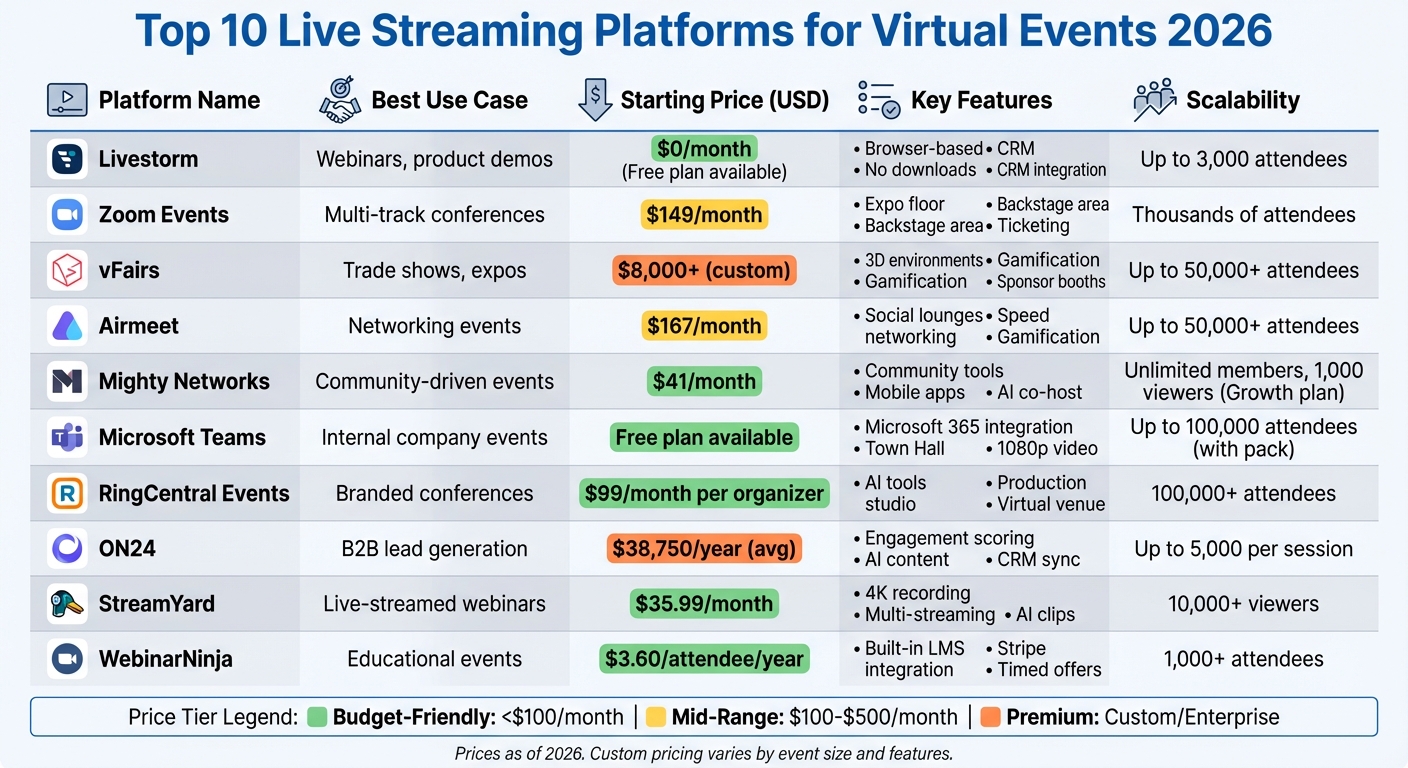
Top 10 Live Streaming Platforms Comparison: Features, Pricing & Best Use Cases 2026
Top 7 Virtual Event Platforms 2025: Full Comparison
sbb-itb-a84ebc4
1. Livestorm
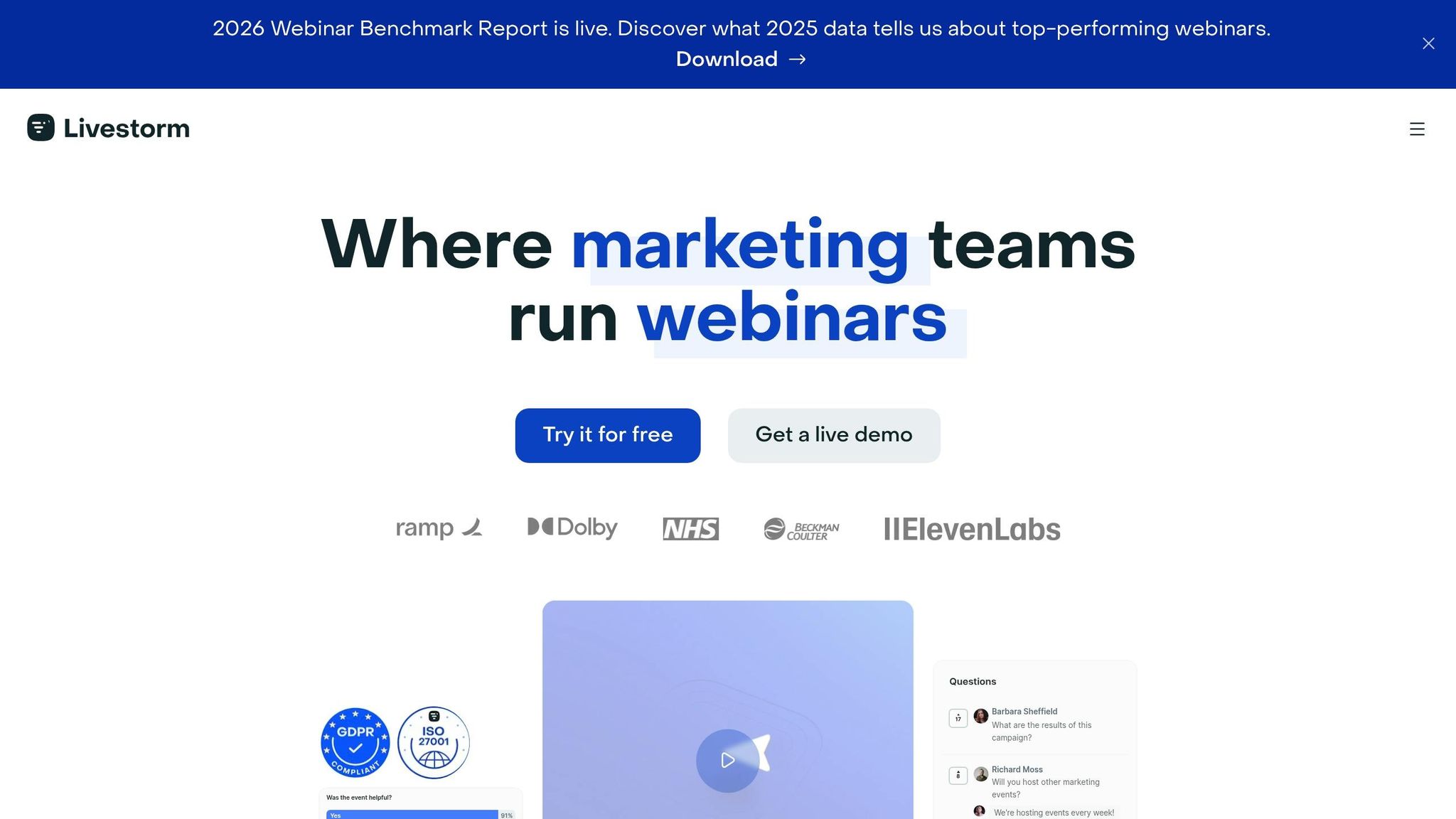
Livestorm kicks off our top 10 virtual event platforms for 2026 with a strong start. This browser-based solution removes the hassle of downloads or installations for attendees and speakers. Joining an event is as simple as clicking a link, making it incredibly user-friendly.
Best Use Case
Livestorm shines in high-engagement scenarios. Whether you're hosting webinars, product demos, online courses, or virtual summits, this platform is built to keep audiences engaged in real time. A standout example? One customer noted that 99% of participants stayed for the entire duration of their product demos. That’s a testament to how well it holds audience attention.
Pricing (USD)
Livestorm uses an attendee credit system - one credit equals one unique participant in a session over a 12-month period. The good news? Internal team members can join without using credits, so you can bring unlimited collaborators into your events without extra costs.
- Free Plan: $0/month, supports up to 30 live attendees
- Pro Plan: $79/month (billed annually) or $99/month (billed monthly), supports up to 100 attendees
- Enterprise Plan: Custom pricing for events with up to 3,000 attendees, plus a dedicated Customer Success Manager
Key Features
Livestorm handles every aspect of event management. From customizable registration pages and automated email reminders to live hosting and post-event analytics, it’s a one-stop shop for virtual events. Engagement tools include:
- Real-time Q&A with upvoting
- Live polls and chat
- Emoji reactions
- Virtual whiteboards
It integrates seamlessly with tools like Salesforce, HubSpot, Marketo, and over 1,000 apps via Zapier. Plus, with ISO 27001 certification and GDPR compliance, Livestorm prioritizes security through features like SAML SSO and role-based access controls. These tools make it easy to track attendee behavior and nurture leads effectively.
"Engagement on Livestorm is great: our 45-minute event ended up going past the 60-minute mark because the questions just kept coming!" - Laura Parra, Field Marketing Specialist
Scalability
Livestorm works for everything from small team meetings to large-scale conferences with up to 3,000 participants. It also supports up to 25 speakers on screen at once. Enterprise users enjoy VIP support, including access to technical experts for event shadowing. With event assets available in 24 languages, Livestorm is ready for a global audience. Its popularity is reflected in its 4.7/5 rating on G2, based on over 1,000 user reviews.
Stay tuned as we dive into the next platform on our list!
2. Zoom Events
Zoom Events takes the familiar Zoom meeting experience and enhances it for large-scale virtual conferences. It builds on Zoom's reliable video infrastructure, adding tools for managing multi-day events like summits, company kickoffs, and professional certification programs.
Best Use Case
This platform shines when hosting multi-track conferences for thousands of participants. Because most people are already comfortable with Zoom, there’s little to no learning curve for attendees. It’s especially effective for B2B conferences, with 74% of organizers reporting a positive return on investment within six months of their event.
Pricing (USD)
Zoom Events operates on a per-attendee license model, allowing unlimited events within a hub after purchasing a license. Pricing starts at approximately $990 per year. Smaller plans are available at $149 per month for up to 100 attendees, while large-scale events require custom enterprise quotes. Keep in mind, you'll also need a Zoom Workplace license in addition to the Events license.
Key Features
At the heart of Zoom Events is the Event Hub, which acts as a virtual headquarters for your conference. From here, attendees can access a virtual lobby to explore the agenda, network with others, and view content before sessions begin.
Some standout features include:
- Expo Floor: Sponsors can set up virtual booths with live chat and downloadable resources, offering monetization opportunities.
- Backstage Area: A private space for speakers and event staff to coordinate behind the scenes.
- Simultaneous Tracks and Breakout Rooms: Attendees can customize their experience by choosing from multiple session tracks and breakout rooms.
- Built-In Tools: registration, ticketing, and integrated marketing tools for payment processing are included to simplify event management.
- Analytics: Track session engagement, sponsor booth traffic, and overall event popularity.
These features make it easier to manage and deliver large-scale events, while also providing tools to measure success.
Scalability
Leveraging Zoom's global infrastructure, Zoom Events can handle thousands of attendees across multiple regions. It has earned a 4.5/5 rating on G2, with users applauding its reliability and user-friendly design. However, some reviewers mention that branding customization is limited compared to white-label platforms, and the networking tools may feel basic for events that prioritize high-end social interaction.
3. vFairs
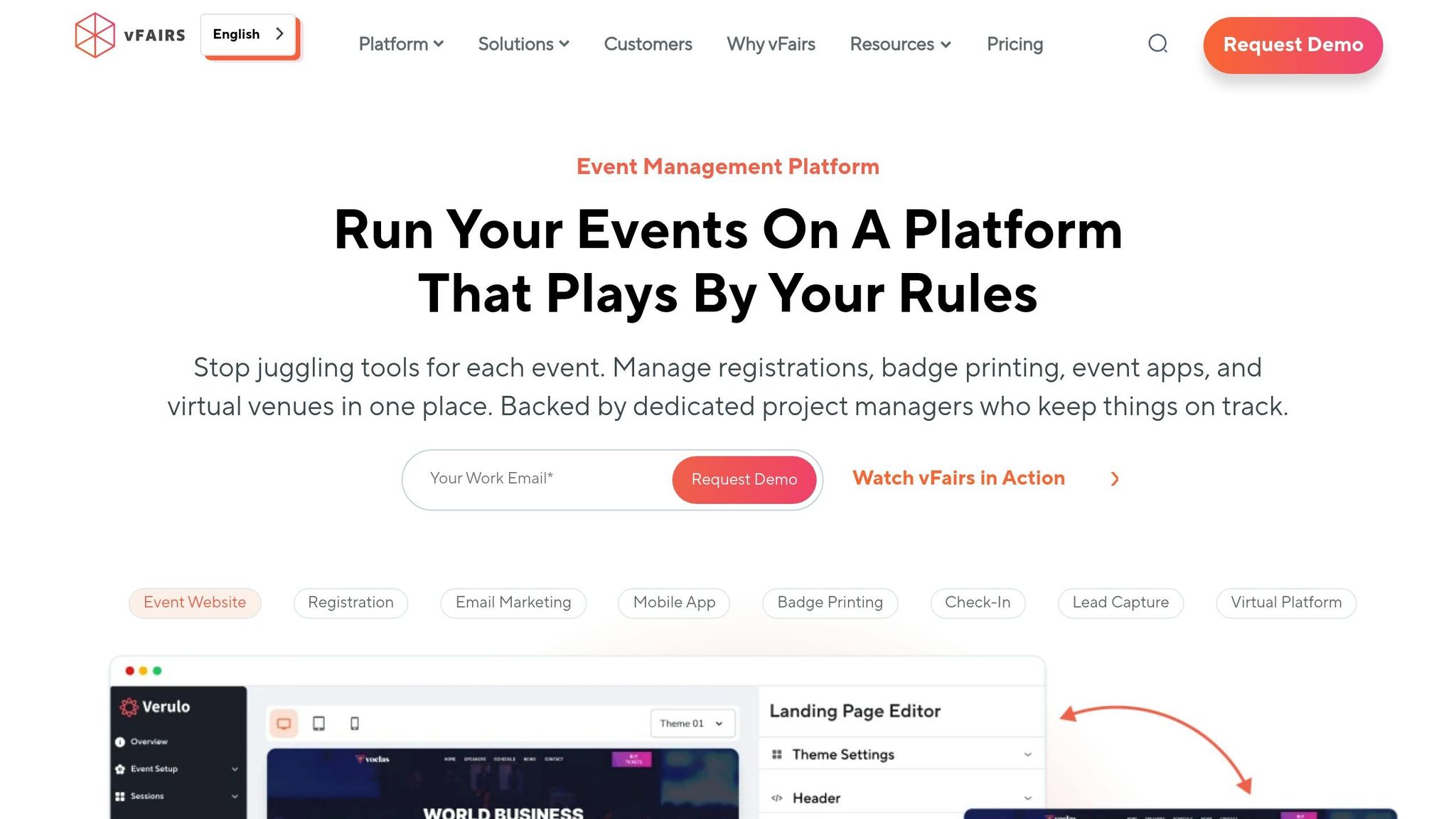
vFairs stands out by offering immersive 3D environments that replicate physical venues, creating a dynamic alternative to standard virtual event platforms. Attendees can explore animated lobbies, exhibition halls, and interactive booths, making the experience more engaging than a typical video call.
Best Use Case
This platform is perfect for virtual trade shows, career fairs, and university open days where branding and interactivity are key. The 3D spaces allow sponsors to showcase their products effectively, using features like lead capture forms, downloadable resources, and live video chat. For recruitment events, tools such as resume database integration and automated attendee pairing make it particularly effective.
Pricing (USD)
vFairs doesn’t offer a fixed pricing structure. Instead, each event is quoted individually based on its specific requirements. Pricing generally starts at $8,000, with costs varying depending on event size, features (e.g., gamification or lead capture), and attendee numbers. Pricing is typically per event, though annual licenses are available for organizations hosting multiple events. To get an exact quote, you’ll need to request a personalized demo.
Key Features
vFairs' standout feature is its customizable 3D virtual venues, complete with animated lobbies, auditoriums, and exhibition halls. These virtual booths integrate live video chat, resource downloads, and lead capture forms, making them highly engaging for sponsors. The platform also offers gamification options like scavenger hunts, leaderboards, quizzes, and raffles to encourage attendees to explore the event. Networking tools include live chat rooms, breakout sessions, and AI-powered attendee pairing.
Additional features include comprehensive event management tools such as registration, ticketing, and payment processing, which work with over 30 payment gateways. Plus, every event comes with a dedicated project manager and 24/7 technical support, ensuring smooth execution. This hands-on support is particularly useful for the more complex setup of custom 3D environments compared to simpler webinar tools.
Scalability
vFairs handles events of all sizes, from small 50-person workshops to international conferences with over 50,000 attendees. The platform has supported more than 50,000 events and reached over 100 million participants. It boasts a 4.7/5 rating on G2 and has been recognized as a Leader in the 2025 and 2026 Gartner® Magic Quadrant™ for Event Technology Platforms.
For smaller events using self-serve features, setup can be completed in minutes. However, larger events with custom 3D environments and detailed agendas require about four weeks of preparation. With unlimited registrations included in its core packages, vFairs keeps per-attendee costs manageable while delivering an immersive experience. That said, some users note that the administrative interface can be challenging without structured onboarding.
Next, we’ll take a look at another platform that combines ease-of-use with engaging features.
4. Airmeet
Airmeet stands out by focusing on real-time attendee interaction, setting it apart from platforms that prioritize production and scalability. Instead of sticking to traditional webinar formats, Airmeet tackles the challenge of disengagement by emphasizing connections. Its design revolves around interactive features like social lounges with virtual tables and dynamic spaces that encourage spontaneous conversations. This networking-first approach makes it a great fit for community-focused conferences, startup events, and industry gatherings.
Best Use Case
Airmeet is perfect for events that thrive on networking - think corporate town halls, product launches, sales kickoffs, or team offsites. For instance, one user generated $1.1 million in pipeline from their first Airmeet event, while another secured a $250,000 pipeline and over 40 meetings from a single event.
"Airmeet's platform is probably as close to an actual event virtually as I've seen, and I used to manage actual trade shows and conferences." - Victoria Younes, Executive Events Manager, Kaiser Permanente
Pricing (USD)
Airmeet's pricing is based on actual attendance rather than registrations.
- Free Tier: Supports up to 50 attendees.
- Premium Webinars: Starts at $167/month (annual billing) or $199/month (monthly billing) for events with 100 to 10,000 attendees.
- Events Plan: Custom pricing for features like multi-track sessions and hybrid events.
- Managed Events: Full-service support starting at $4,999 per brand conference.
Key Features
Airmeet offers a range of tools designed to enhance engagement:
- Social Lounge: Virtual tables for up to 125 participants to connect.
- Speed Networking: Matches attendees one-on-one using custom criteria.
- Gamification: Leaderboards that reward participation and encourage activity.
- 3D Virtual Booths: Includes lead magnets and real-time visitor tracking for sponsors.
- Integrations: Works seamlessly with HubSpot, Salesforce, and Marketo for pipeline tracking.
- Private Backstage Area: Allows speakers to prepare and coordinate before going live, ensuring smooth presentations.
Scalability
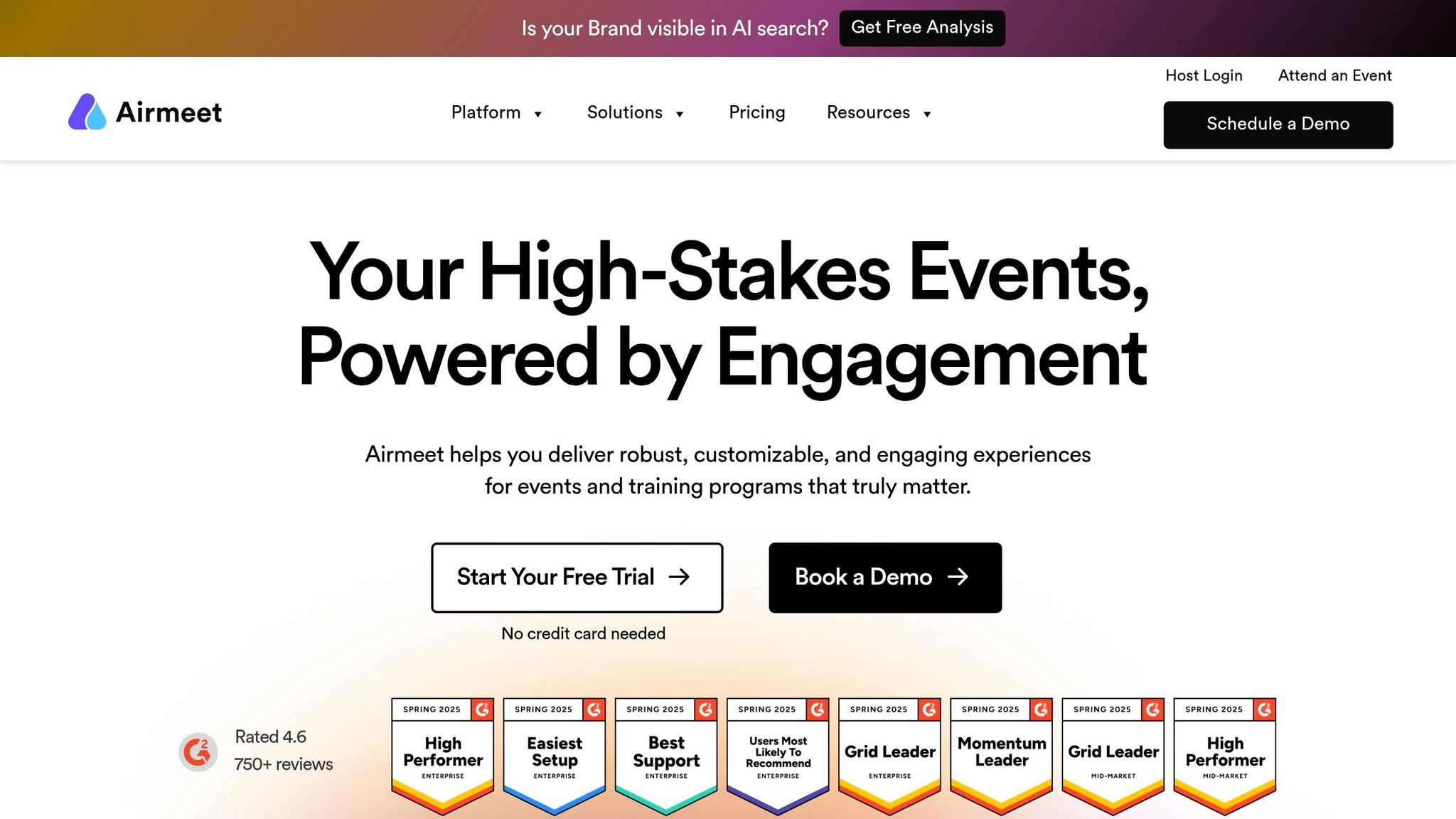
Airmeet is built to handle events of all sizes, from small gatherings of 100 attendees to massive conferences with over 50,000 participants. Comcast, for example, scaled their events from 2,000 to 30,000 employees across 100 sessions. The platform offers a 99.95% monthly uptime guarantee on higher-tier plans and has received a 4.6/5 rating on G2 based on over 750 reviews. Users have reported impressive results, such as a 600% increase in sales conversions and doubling attendance rates compared to industry norms. However, some users have noted that the platform can feel a bit complex for straightforward, one-off webinars, requiring careful planning to make the most of its networking features.
5. Mighty Networks
Mighty Networks combines live streaming with a robust community platform, making it more than just a place to broadcast. Unlike platforms that focus solely on streaming, Mighty Networks builds an environment where members can interact continuously - before, during, and after events. This approach makes it a great fit for coaching programs, membership communities, and multi-session events that thrive on consistent engagement.
Best Use Case
If your virtual event is part of an ongoing community effort rather than a one-off broadcast, Mighty Networks is a great choice. It's particularly effective for creators and coaches managing membership-based programs. For example, Tony Robbins Arena used Mighty Pro's branded apps to grow its community to 30,000 members and boost live event attendance from 150 to over 1,000 participants.
Pricing (USD)
| Plan | Monthly Price | Transaction Fee | Livestreaming Capacity |
|---|---|---|---|
| Community | $41/month | 3% | 50 viewers |
| Courses | $99/month | 2% | 50 viewers |
| Business | $179/month | 2% | 500 viewers, 30 hours/month |
| Growth | $360/month | 1% | 1,000 viewers, 40 hours/month |
| Mighty Pro | Custom | Custom | Enterprise/Scalable |
Note: Transaction fees (1-3%) apply to all paid plans, in addition to standard processing fees.
Key Features
Mighty Networks offers live streaming with support for up to nine simultaneous speakers during two-hour sessions. Its "Mighty Co-Host" AI simplifies setup by generating course outlines and landing pages. To keep members engaged, gamification tools - like streaks, challenges, and badges - encourage daily interaction, with 59% of active members returning weekly. Plus, the platform provides dedicated mobile apps for iOS and Android, which increase member engagement by 60% compared to web-only platforms.
Scalability
All paid plans allow unlimited members, making Mighty Networks a great option for growing communities. However, live streaming capacity depends on the plan - ranging from 50 viewers on basic tiers to 1,000 viewers on the Growth plan. For larger events, external integrations or an upgrade to Mighty Pro offer enterprise-level capacity. Impressively, the platform's hosts earned $500 million in 2025, with 84% of activity driven by members rather than hosts. To make the most of the platform, careful planning is essential.
6. Microsoft Teams
Microsoft Teams shines for organizations already using the Microsoft 365 suite. Seamlessly integrating with tools like Outlook and SharePoint, along with strong identity management, it offers a streamlined communication platform. It's particularly well-suited for internal events such as town halls, sales kickoffs, and corporate training sessions - especially where security and compatibility with Microsoft 365 are critical.
Best Use Case
Microsoft Teams is ideal for secure, internal company events. However, it’s not the best option for external conferences requiring extensive branding or virtual expo features. On G2, Teams holds a 4.3/5 rating, with users frequently highlighting its stability and integration with Microsoft’s productivity tools.
Pricing (USD)
| Plan | Price | Key Features |
|---|---|---|
| Teams (Free) | $0 per user/month | Basic chat, 60-minute meetings |
| Teams Essentials | $4.00 per user/month | 30-hour meetings for small businesses |
| Microsoft 365 Business Basic | $6.00 per user/month | 1TB storage, web/mobile Office apps |
| Microsoft 365 Business Standard | $12.50 per user/month | Desktop Office apps, webinar hosting |
| Microsoft 365 Business Premium | $22.00 per user/month | Advanced security and cyberthreat protection |
| Teams Premium (Add-on) | $10.00 per user/month | AI tools and advanced branding options |
Note: Starting April 1, 2026, features like custom emails and advanced webinar tools, previously part of Teams Premium, will be included in Teams Enterprise licenses.
Key Features
Microsoft is phasing out "Teams Live Events" by July 2026, replacing it with "Teams Town Hall", a more advanced solution for large-scale broadcasts. Town Hall events now support 1080p video with ultra-low latency, ensuring smooth and high-quality streaming for large audiences. Additional features include RTMP-In for external hardware encoders and interactive tools like live reactions, polls, moderated Q&A, and attendee chat. For organizations wanting immersive experiences, Teams also supports 3D virtual events for up to 300 attendees, complete with customizable avatars and spatial audio. These features make Teams a solid choice for internal broadcasts, offering a strong foundation for scalability.
Scalability
Microsoft Teams excels at handling large-scale internal events. Town Hall sessions can accommodate up to 10,000 view-only attendees, with the option to scale to 100,000 using an Attendee Capacity Pack. Organizations can run up to 50 simultaneous live events within a single tenant, with each broadcast lasting up to 16 hours. While Teams is highly scalable for internal purposes, it lacks tools for marketing analytics and sponsor monetization, which makes it less competitive for external-facing events.
7. RingCentral Events
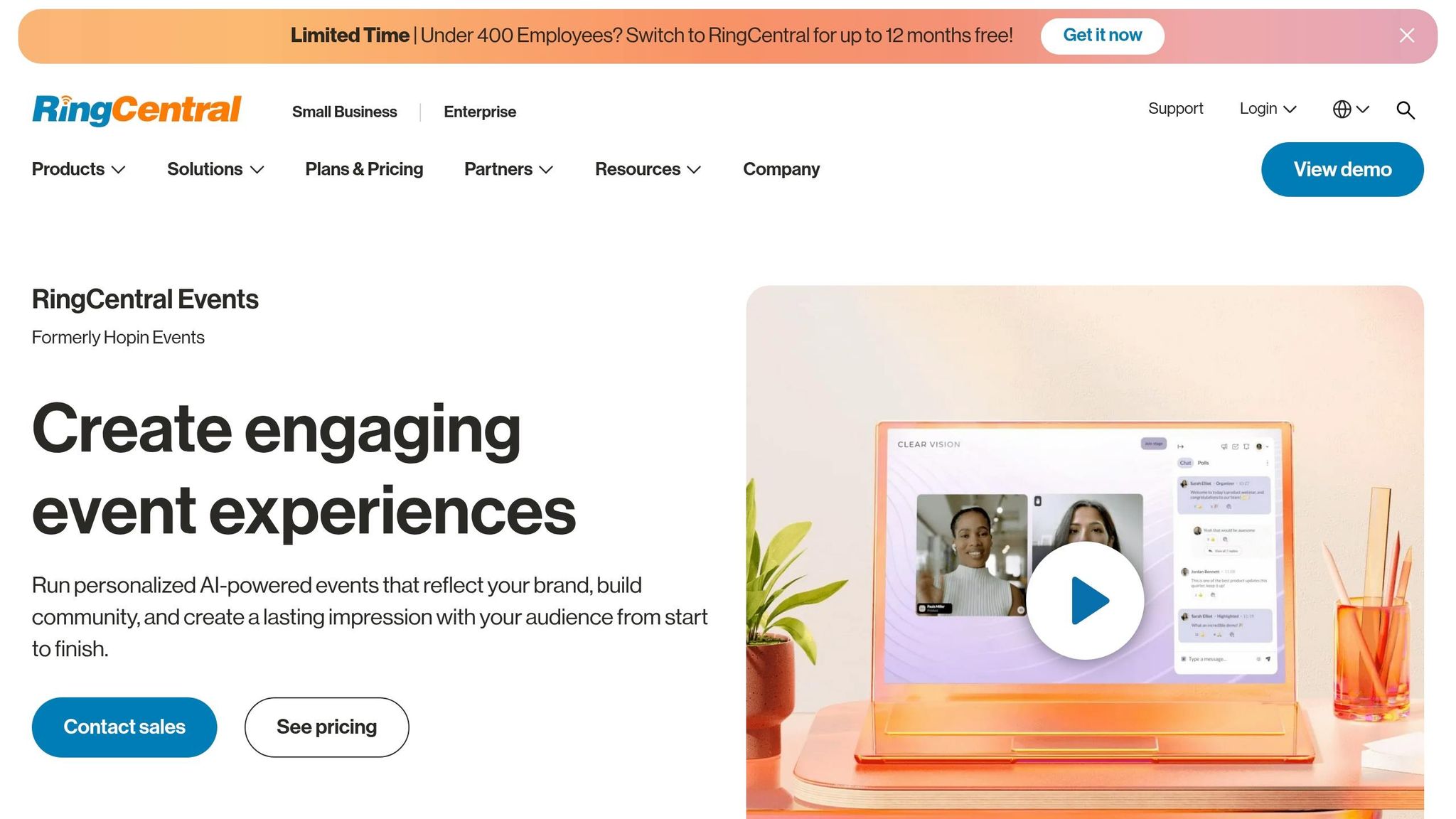
RingCentral Events (formerly Hopin) takes virtual events to the next level with its "virtual venue" concept. This setup mimics physical conferences, offering spaces like a Reception area for schedules, a Main Stage for keynotes, breakout Sessions for parallel tracks, dedicated Networking zones for one-on-one interactions, and an Expo hall for sponsor booths. This structure is particularly effective for events where sponsor engagement and attendee interaction are key to driving ROI.
Best Use Case
RingCentral Events shines in hosting multi-session virtual conferences and hybrid events that demand professional production and strong sponsor monetization tools. It's a go-to option for marketing teams, associations, and organizations running annual conferences, career fairs, or trade shows. For instance, SAE International's Director of New Business Development, Matt Wasowski, shared that they generated over $100,000 in sponsorship revenue using the platform’s video and networking capabilities. Similarly, Legal Cheek saw a 20x jump in attendance at their virtual career fairs after adopting this platform. However, its pricing - starting at $99/month per organizer - makes it a better fit for revenue-driven, externally focused events.
Pricing (USD)
| Plan | Annual Price | Monthly Price | Key Inclusions |
|---|---|---|---|
| Events Free Trial | $0 (30 days) | $0 | 10 organizers, 1,000 registrations, Enterprise features |
| Events Pro | $99/organizer/month | $119/organizer/month | Unlimited events/registrations, virtual venue, AI tools |
| Events Pro+ | $199/organizer/month | $239/organizer/month | Onsite/hybrid tools, 40+ app integrations, MarTech sync |
| Events Enterprise | $299/organizer/month | $359/organizer/month | AI caption translation, APIs, custom domains, lead retrieval |
Thryv, for example, successfully managed 9,000 registrants on the platform, with Stephanie Love, their Content Strategy Manager, describing the process as a "machine that runs itself".
Key Features
RingCentral Events comes packed with AI-powered tools to simplify event production. Features like the AI Writer and Creator Lab help generate landing page copy and social media highlights. AI-driven Q&A categorization organizes similar questions, while AI caption translation bridges language gaps. The built-in Production Studio handles video layouts, overlays, and transitions, and supports RTMP for professional-grade streaming.
For audience interaction, the platform offers live polls, surveys, moderated Q&A, and chat with emoji reactions. It also integrates with tools like Kahoot, Slido, and Miro. Companies already using RingCentral for communication benefit from unified billing and account management.
Scalability
RingCentral Events is built to handle events of any size, from small workshops to massive conferences with over 100,000 participants. Its cloud-based infrastructure adjusts server bandwidth dynamically during high-traffic periods, ensuring smooth performance even for complex, multi-track events. SAE International, for instance, hosted events with over 10,000 attendees while maintaining top-notch production quality.
The platform also supports bi-directional CRM sync with Salesforce, HubSpot, and Marketo, making it easier to export attendee engagement data for lead scoring. Notably, 73% of attendees interacted with sponsors during events using the expo features.
8. ON24
ON24 takes a demand-generation-first approach tailored for B2B marketers, offering a platform that transforms virtual events into ongoing lead-generation machines. Unlike general-purpose video tools, ON24 focuses on tracking every interaction - like poll responses, resource downloads, and session rewatches - to assess lead quality and identify buying signals for sales teams. This makes it especially appealing for companies prioritizing content-led webinar programs where pipeline attribution and lead quality are key goals.
Best Use Case
ON24 shines in mid-to-late funnel marketing strategies aimed at converting engaged prospects into qualified leads to build a profitable online business. B2B software companies, financial services firms, and enterprise technology providers commonly use ON24 for recurring webinars, product demos, and thought leadership events. A standout feature is its ability to turn live events into evergreen content hubs - branded, on-demand libraries that keep generating leads long after the live event ends. It’s particularly effective for content-driven formats like keynote speeches, panel discussions, and educational webinars, though it’s less suited for expo-style events with virtual booths.
Pricing (USD)
ON24 offers custom annual contracts rather than a straightforward per-seat pricing model. The average annual cost is around $38,750, with pricing ranging from $17,750 to over $122,804 based on event volume and feature selection. The pricing tiers are as follows:
- Professional: $25,000–$50,000 annually for 12–24 webinars
- Enterprise: $50,000–$120,000+ with advanced CRM integrations
- Elite: $100,000–$200,000+ for organizations hosting 100+ events annually
Optional add-ons, like personalized content hubs and AI analytics, range from $5,000 to $25,000. Buyers can often save about 16.6% by negotiating, especially when aligning purchases with ON24's fiscal year-end in December.
Key Features
ON24's AI engine, Ace, simplifies content repurposing by automatically generating transcripts, video clips, e-books, and blog posts from event recordings. This feature allows a single session to generate weeks’ worth of nurturing content. For live events, the platform provides interactive tools such as polls, Q&A, surveys, downloadable resources, and breakout rooms. One of ON24’s standout features is its engagement scoring system, which assigns points to attendee actions - like watching 80% of a session or downloading a whitepaper - and integrates seamlessly with platforms like Salesforce, HubSpot, Marketo, and Pardot.
"The live stream quality and stability are top-tier. I've hosted live conferences with hundreds of attendees and never experienced a dropped feed." - Viktoriao S., Virtual Event Manager
Scalability
ON24 is built to scale effortlessly, supporting everything from individual webinars to multi-session conferences with up to 5,000 attendees per session. Its robust infrastructure enables companies to run dozens of events monthly without compromising performance. Ranked #1 in Webinar Software on the G2 Winter 2026 Enterprise Grid, ON24 integrates with over 30 marketing automation platforms. Additionally, 74% of B2B event organizers report a positive ROI within six months of using ON24, highlighting its long-term value in generating leads through its content hub strategy.
9. StreamYard
StreamYard takes a straightforward approach, focusing on delivering high-quality production while keeping things simple and accessible.
Unlike platforms packed with intricate event management tools, StreamYard emphasizes ease of use. There’s no need for software downloads or complex configurations - hosts and guests can join directly through their browser by clicking a link. This makes it especially friendly for participants who may not be tech-savvy.
Best Use Case
StreamYard shines in scenarios like recurring webinar series, panel discussions, and product demos where polished visuals and a smooth guest experience are key. It’s a go-to for marketing teams running branded shows or SaaS companies hosting live product walkthroughs. With the ability to feature up to 10 on-screen participants, it’s perfect for interactive events. For larger gatherings, such as multi-day conferences, StreamYard often acts as a production tool, delivering high-quality RTMP video to platforms like Zoom Events or Webex Events.
Pricing (USD)
StreamYard offers affordable options for teams:
- Core Plan: $35.99/month (billed annually) for 1080p streaming to up to three destinations.
- Advanced Plan: $68.99/month, including 4K local recording and up to eight streaming destinations.
- On-Air Package: Starts at $49/month for webinars with built-in registration and email reminders, scaling to support audiences of 1,000 or more than 10,000 viewers.
New users in 2026 may also find promotional first-year rates, with Core plans starting at $20/month and Advanced plans at $39/month.
Key Features
StreamYard offers tools that simplify and enhance webinars and live broadcasts:
- On-Air Webinar Mode: Includes registration pages, automated email reminders, and an embeddable player for hosting events directly on your website.
- Multi-Aspect Ratio Streaming (MARS): Streams in both landscape (desktop) and portrait (mobile) formats simultaneously.
- AI Clips Tool: Automatically creates captioned, short-form content from recorded webinars, turning a 60-minute session into weeks of social media clips.
- Local Multi-Track Recording: Captures up to 4K UHD video with 48 kHz WAV audio, ensuring top-notch files for editing and storage.
Scalability
StreamYard adapts to events of all sizes, from small panels with 10 participants to webinars with over 10,000 viewers. It supports up to 10 on-screen participants and allows additional backstage guests, making it ideal for dynamic discussions. For teams managing frequent events, its per-workspace pricing keeps costs predictable, even with multiple producers involved.
In 2025, StreamYard rolled out around 50 new features, reflecting its dedication to evolving user needs. When paired with enterprise platforms like Zoom Events or Webex Events, it becomes the production backbone, ensuring every session looks polished and professional. With its scalability and focus on quality, StreamYard remains a solid choice for teams aiming to deliver standout broadcasts across various event types.
10. WebinarNinja
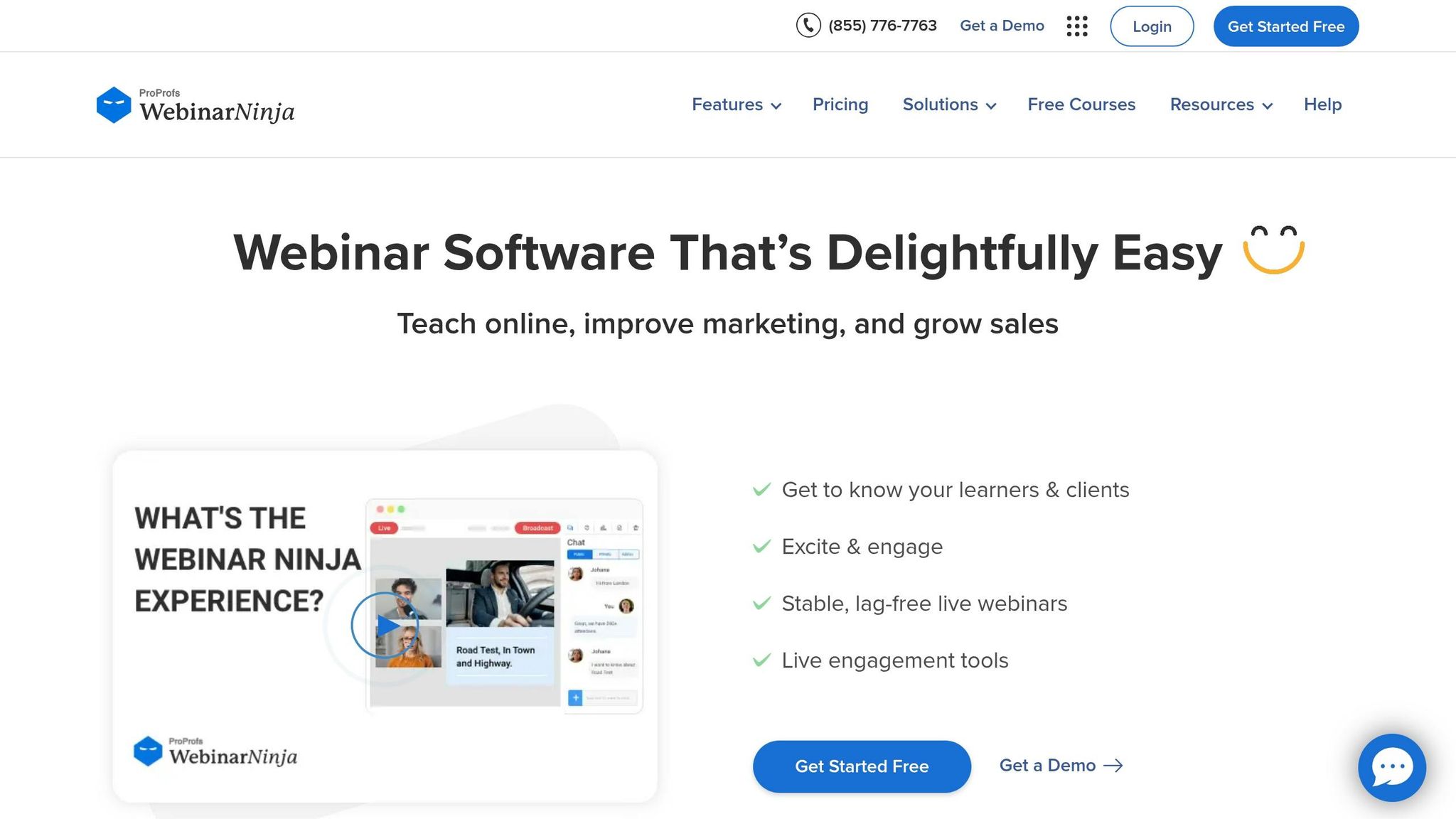
WebinarNinja is a platform tailored for educators, coaches, and course creators, offering more than just webinar hosting. It includes a built-in learning management system called CourseNinja (normally valued at $1,200) with every subscription at no extra charge. This all-in-one solution combines live broadcasting with tools to manage and deliver educational content seamlessly.
The platform operates entirely in-browser, using WebRTC technology for real-time, high-definition streaming. No downloads are required - hosts and attendees can join through a simple link, making it incredibly user-friendly.
Best Use Case
WebinarNinja is ideal for training programs, paid workshops, and multi-session educational series. Whether you're running a coaching business, launching an online course with live elements, or hosting a paid summit, the integrated CourseNinja feature allows you to create a dedicated student portal without needing additional software, similar to the capabilities of Systeme.io. The platform supports various formats, including live, pre-recorded, hybrid, and series sessions. From brief product demos to in-depth certification programs, WebinarNinja offers flexibility for a range of educational needs.
"WebinarNinja is the best tool for high-quality training or coaching. You can really increase engagement, which helps people solidify their experience." - Neil Patel, Co-Founder of NeilPatel.com.
Pricing (USD)
WebinarNinja uses a per-attendee pricing model, charging $0.30 per attendee per month when billed annually (equivalent to $3.60 per attendee per year). This promotional rate is available until April 17, 2026, down from the previous $0.60 rate. All plans include unlimited webinars, registrants, co-presenters, landing pages, and cloud storage. For events with over 1,000 attendees, custom Enterprise pricing applies. Bundled packages with additional tools like Quiz Maker and Training Maker start at $499 per month.
Key Features
WebinarNinja stands out with features designed to enhance education and revenue generation.
- Stripe Integration: Monetize webinars without platform transaction fees - only standard payment processing charges apply.
- Engagement Tools: Real-time emoji reactions, interactive polls, Q&A sessions, and attendee on-camera participation keep sessions dynamic.
- Timed Sales Offers: Use countdown timers and live promotions to drive conversions during webinars.
- Marketing Support: Custom registration pages, automated email sequences, and Facebook Ads integration simplify your promotional efforts.
- Broadcast Quality: Sessions and recordings are delivered in 720p resolution, balancing professional quality with manageable file sizes.
Scalability
WebinarNinja is built to accommodate events of all sizes, from small coaching sessions to large-scale corporate trainings. While the number of registrants is unlimited, you can set your live attendee capacity based on your plan - ranging from small groups to over 1,000 participants with Enterprise options. Sessions can last up to 8 hours by default, with extensions available upon request.
Since its inception, WebinarNinja has supported over 30,000 businesses, hosted more than 3 million webinars, and helped users generate over 10 million leads. The platform also offers 24/7 support via email, phone, and live chat, along with one-on-one onboarding and dedicated Success Managers to help users scale their events effectively. This combination of scalability and expert support makes WebinarNinja a go-to platform for virtual educational events.
Platform Comparison Table
Here’s a quick breakdown of some of the leading live streaming platforms for virtual events in 2026:
| Platform Name | Best Use Case | Starting Price (USD) | Key Features |
|---|---|---|---|
| Livestorm | Product demos and webinars | Free (basic tier) | Browser-based, no downloads needed, tools for engagement, easy access |
| Zoom Events | Multi-session conferences | Custom pricing | Speaker backstage area, integrated ticketing, familiar interface |
| vFairs | Trade shows and exhibitions | Custom pricing | 3D virtual environments, animated avatars, immersive halls |
| RingCentral Events | Branded webinars | Custom pricing | Advanced production tools |
| ON24 | B2B demand generation | Custom pricing | AI-driven tools for B2B demand generation |
| StreamYard | Live-streamed talk shows | Free (basic tier) | Professional-grade live talk shows |
This table provides a concise way to compare platforms, helping you decide which one fits your event’s needs and budget, or explore free marketing tools to support your promotion. For more details, refer to the in-depth reviews earlier in the article.
Conclusion
Selecting a live streaming platform is all about finding the right balance between features, cost, and scalability. The ideal platform for your virtual events in 2026 will depend on how well its tools align with your goals and budget. For example, StreamYard offers budget-friendly production tools starting at $20/month, while vFairs provides custom-priced, immersive 3D environments. Whether you need a basic webinar tool or a comprehensive event hub with features like ticketing and multi-track sessions, your choice should reflect your event's specific needs.
"The difference between a forgettable webinar and an event that actually drives pipeline comes down to the platform you choose." - Team Guideflow
Understand your technical requirements. Solutions like Livestorm, which are browser-based and require no downloads, can reduce attendee friction and boost participation. If tracking attendee behavior for lead scoring is a priority, look for platforms with CRM integrations, such as Salesforce or HubSpot. Matching your technical needs with platforms that offer measurable ROI is key to making an informed decision.
Leverage free trials and test tiers. This allows you to evaluate critical factors like ease of use, backstage tools, and mobile functionality. Keep in mind that audio quality is non-negotiable - poor stability can lead to attendee drop-offs, no matter how great your content is. Also, ensure the platform can handle your expected attendee load, as enterprise-grade options can accommodate anywhere from 1,000 to 100,000 participants.
The best platform isn’t necessarily the priciest or the one with the most features. It’s the one that removes technical barriers for attendees while providing your team with the tools and insights needed to achieve measurable success. Ultimately, the right choice is the one that simplifies the experience for your audience while empowering you to deliver impactful results.
FAQs
Which platform is best for my event type?
When choosing the right platform, it all comes down to the size and goals of your event. For large B2B events, platforms like Zuddl stand out with features like CRM integration, advanced branding options, and detailed analytics. If you're hosting virtual conferences or trade shows, vFairs offers immersive 3D environments paired with tools to boost attendee engagement. On the other hand, for smaller events or webinars, StreamYard is a straightforward, budget-friendly option that’s easy to navigate. The key is to align the platform’s features with the scale and interaction needs of your event.
How do pricing models compare across platforms?
In 2026, virtual event platforms cater to various budgets with tiered pricing models. Basic plans, often free or low-cost, come with limited features, while premium options can surpass $1,000 per month, offering advanced tools like custom branding, in-depth analytics, and hybrid event capabilities. Many platforms also offer pay-as-you-go models or tailored enterprise packages, making it easier to meet the needs of different event sizes. The focus is on flexible pricing that adjusts based on features and audience scale.
What should I test during a free trial?
During a free trial, focus on testing the platform's engagement tools - like polling, chat, and Q&A features - to see how interactive it can be. Evaluate the ease of setup, ensuring you can get things running without a hitch. Pay close attention to streaming quality and how smooth the registration process is for attendees. Additionally, explore the analytics provided, look into integration options (such as CRM or marketing tools), and assess the level of customer support. These factors will give you a clear idea of whether the platform aligns with your event goals and technical requirements.